> ## Documentation Index
> Fetch the complete documentation index at: https://getcompress.com/docs/llms.txt
> Use this file to discover all available pages before exploring further.
# Siri Shortcuts
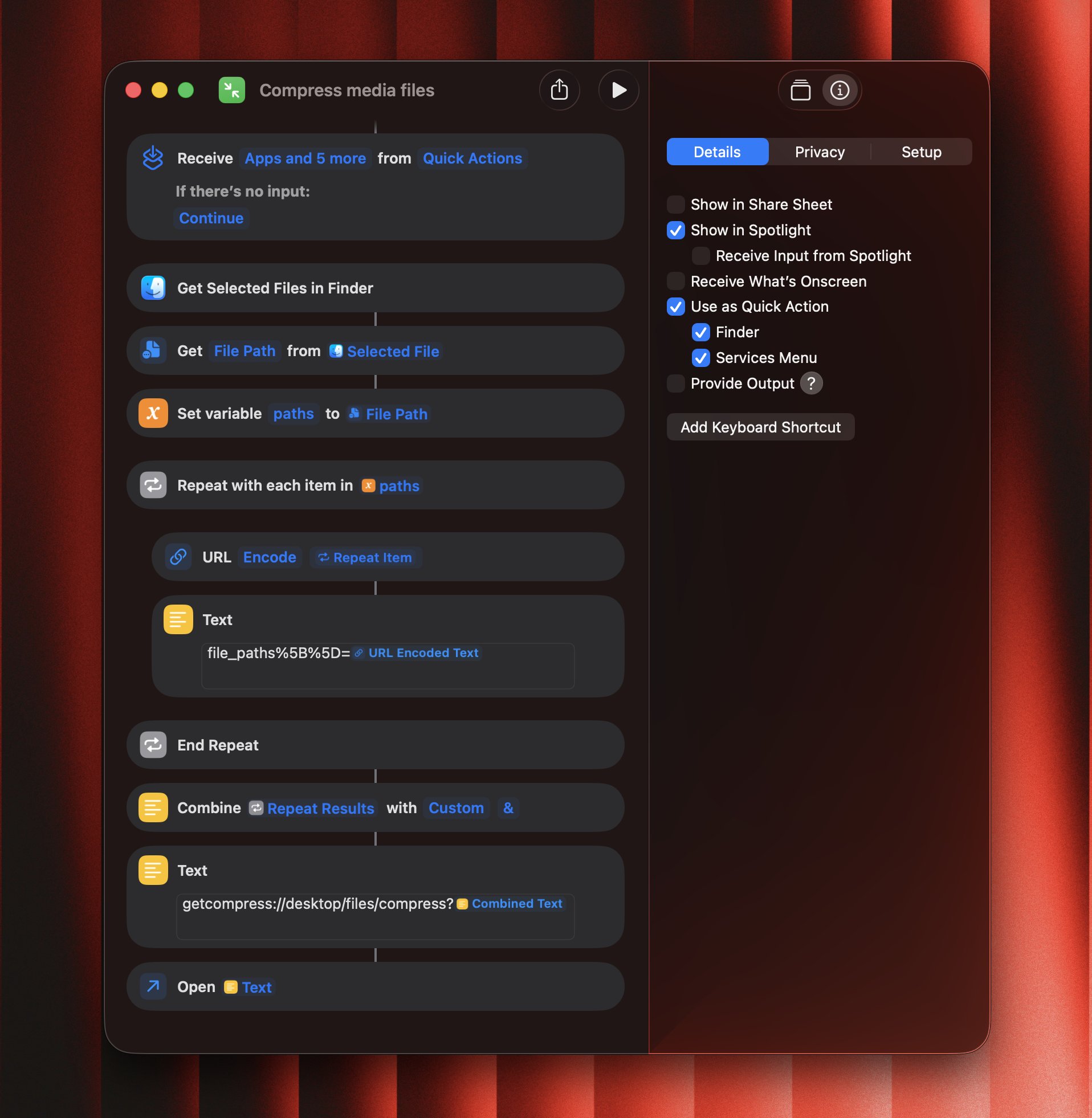 GetCompress allows you to integrate with Siri Shortcuts based on the deeplinks.
No worries, you don't need to set it up yourself: you can just download and install a preconfigured shortcut.
## Installation steps
1. Please download the `.shortcut` file from [here](https://cdn.getcompress.com/public/siri-shortcuts/Compress%20media%20files.shortcut)
2. Just double-click on the file to install it to Shortcuts
3. Enable "Use as QuickAction" and "Finder" checkboxes
4. Optionally, set a keyboard shortcut
## Demo video
How to install and use the shortcuts:
GetCompress allows you to integrate with Siri Shortcuts based on the deeplinks.
No worries, you don't need to set it up yourself: you can just download and install a preconfigured shortcut.
## Installation steps
1. Please download the `.shortcut` file from [here](https://cdn.getcompress.com/public/siri-shortcuts/Compress%20media%20files.shortcut)
2. Just double-click on the file to install it to Shortcuts
3. Enable "Use as QuickAction" and "Finder" checkboxes
4. Optionally, set a keyboard shortcut
## Demo video
How to install and use the shortcuts: