AV1 vs H.265 (HEVC)
Compare AV1 and H.265 (HEVC) for video quality, file size, encoding speed, device support, web use, and everyday sharing.
AV1 usually gives you the best chance of making a small video without a large quality drop. H.265 is often faster to create and works on more recent cameras, phones, computers, and TVs. The right choice depends on where the video will play and how long you are willing to wait for the export.
AV1 vs H.265 at a glance
| If you need… | Better starting choice | Why |
|---|---|---|
| The smallest practical file | AV1 | It can keep similar quality at a lower bitrate |
| Faster exports on common hardware | H.265 | Hardware encoding is available on more devices |
| Video for recent phones and TVs | H.265 | Support is mature across consumer devices |
| Video for a website or streaming service | AV1 | It was designed for efficient internet video |
| A file for unknown or older devices | H.264 instead | It still has the widest support |
This is a starting point, not a guarantee. The app, device, and settings used to create the file can matter as much as the codec name.
What AV1 and H.265 do
AV1 and H.265 are video codecs. A codec makes video data smaller when saving a file and decodes that data during playback.
They are not file extensions. An AV1 video can be stored in a WebM or MP4 file. H.265, also called HEVC, is commonly stored in MP4 or MOV. The container holds the video, audio, captions, and other information. The codec compresses the video itself.
Both codecs are newer and more efficient than H.264. That does not make H.264 obsolete. H.264 remains useful when a video needs to open on almost any device without extra software.
File size and video quality
AV1 can produce a smaller file than H.265 at similar visible quality when both encoders are carefully configured. AOMedia describes AV1 as a codec built for high-quality video with greater compression efficiency .
The real result still depends on:
- The quality or bitrate setting
- The encoder and speed preset
- Resolution and frame rate
- Fast motion, film grain, animation, or small screen text
- Whether hardware or software encoding is used
A slow, high-quality AV1 export should not be compared with a fast H.265 export as if the codec were the only difference. The AV1 result had more processing time available.
For a useful comparison, export both files from the same original at the same resolution and frame rate. Compare difficult parts such as moving hair, shadows, smoke, gradients, and small text. Then check whether the smaller file is worth the extra export time.
Encoding speed and device support
AV1 often takes longer to encode in software. Newer graphics cards and processors can speed it up, but AV1 hardware support is still less common than H.265 support.
H.265 hardware encoding and playback have been available for longer. That makes H.265 a practical choice for 4K phone footage, camera files, and everyday exports on recent devices.
There are two separate questions to check:
- Can the device encode the codec quickly when creating a file?
- Can the recipient’s device decode it smoothly during playback?
A computer may play AV1 in hardware but create AV1 files slowly in software. An editor may open an H.265 file but scrub through it less smoothly than H.264. Test the actual app and device if the workflow matters.
Where each codec plays
AV1 is a strong choice for modern browsers, streaming services, and websites that can offer another format as a fallback. It is also useful for local files when every device that needs the video supports AV1.
H.265 is common in recent phones, cameras, TVs, and Apple video workflows. It is often a safer choice than AV1 for direct sharing between recent consumer devices. It is still less reliable than H.264 when the recipient uses an older computer or an unknown app.
MDN’s video codec guide lists AV1 in WebM and MP4 containers and H.265 in MP4. File extensions alone do not confirm that a device can play the codec inside.
Licensing differences
AV1 was developed by the Alliance for Open Media under a royalty-free patent policy. This makes it attractive to browser makers, streaming services, and software developers that need to distribute video at a large scale.
H.265 is covered by patent licensing programs. Most people exporting or watching a personal video do not deal with those licenses directly. The device or app maker handles codec support. Licensing matters more to companies building and distributing video products.
This difference helps explain why AV1 became popular for web video while H.265 became common in phones, cameras, and TVs. It does not decide which codec looks better in a particular export.
Which codec should you choose
Choose AV1 when file size is the main concern, export time is acceptable, and you know the destination supports it. Examples include a website with tested browser support, a personal archive on recent hardware, or a video service that accepts AV1.
Choose H.265 when you want smaller files than H.264, need faster hardware-assisted exports, and will play the video on recent devices. It is a practical choice for 4K footage, phone videos, and storage-conscious local libraries.
Choose H.264 when you do not know what device or app will open the file. It is usually the simplest option for email, files you send to clients, presentations, and general uploads. See H.264 vs H.265 for a closer comparison of those two codecs.
Compress AV1 and H.265 with GetCompress
QuickTime, Clipchamp, or HandBrake may be enough when you already know the export preset and only need one clip.
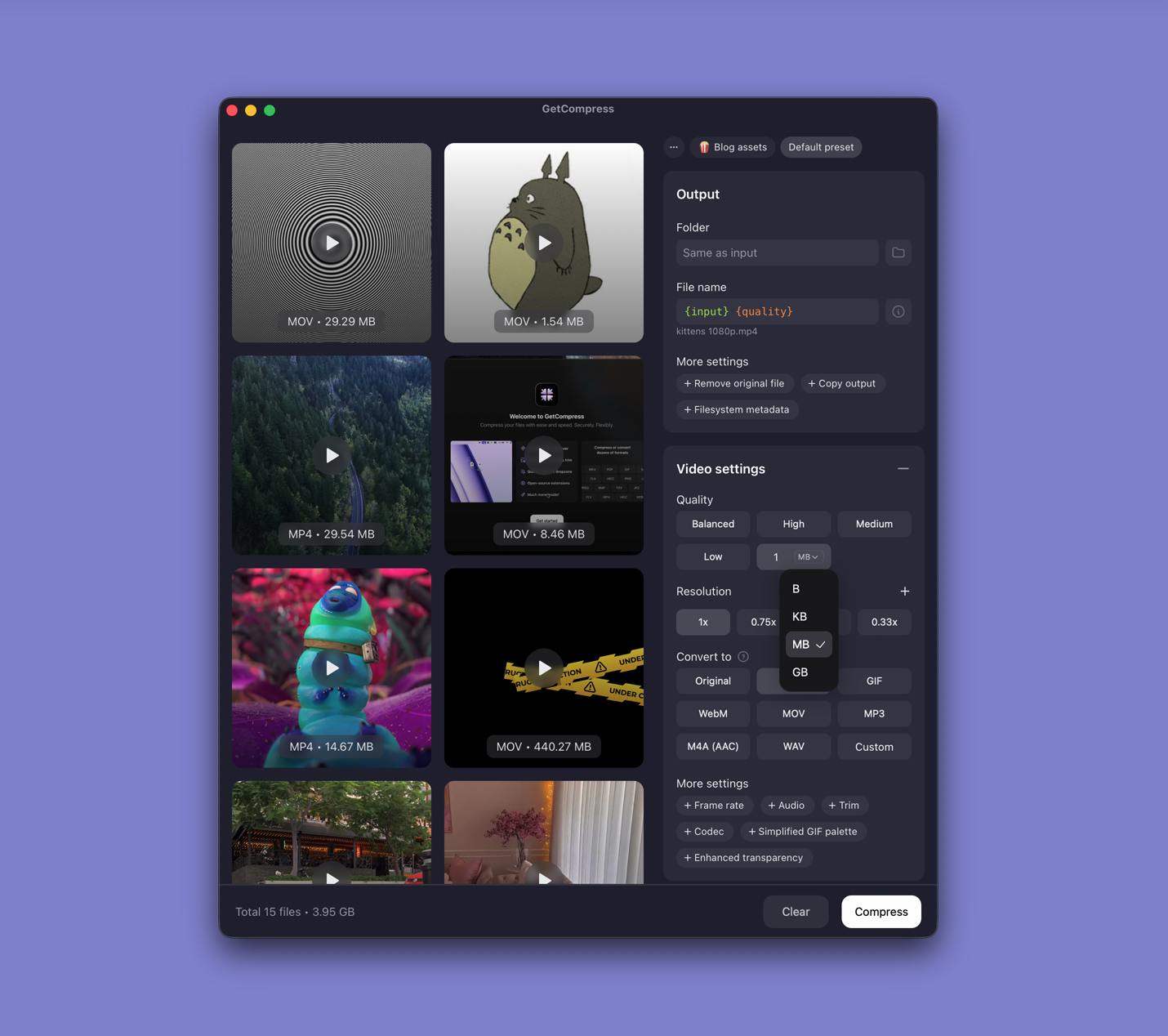
GetCompress supports AV1, H.265, H.264, and many other video codecs and formats. You can choose a simple quality level such as High or Medium, and GetCompress calculates suitable quality, speed, preset, and related settings for the selected codec and format.
You can still customize the detailed settings when you need exact control. For everyday work, the quality shortcuts avoid codec-specific guesswork. GetCompress also processes files locally, supports batches, previews the result, and can set an exact target file size for video.
Use AV1 when you want its compression efficiency and know it will play. Use H.265 when broader hardware support and faster export matter. GetCompress can handle either without requiring you to learn a separate set of encoder parameters first. It does not replace a full NLE or a broadcast packaging suite.
- VP9 and AV1 explainedLearn how VP9 and AV1 compare to H.264 and H.265, where they appear online, and when they matter for your own exports and uploads.
- H.264 vs H.265Compare H.264 (AVC) and H.265 (HEVC) for file size, quality, compatibility, and when to pick each codec for sharing video.
- Convert HEVC to H.264 on MacConvert HEVC to H.264 on Mac with GetCompress, QuickTime, or FFmpeg. H.264 MP4 for older devices, Windows teammates, and upload tools.
- Video bitrate explainedLearn what video bitrate means, how it affects MP4 and MOV file size, and practical bitrate ranges for email, web, and archive exports.