Best Compressor.io Alternative
Looking for a Compressor.io alternative? GetCompress compresses images locally with quality, resize, and format controls, without uploading files to the web.
Compressor.io is a simple online image compressor. If you want smaller images without uploading, with clearer controls and batch support, GetCompress is the better Compressor.io alternative.
GetCompress vs Compressor.io at a glance
| GetCompress | Compressor.io | |
|---|---|---|
| Best for | Local compress, resize, and convert | Quick online one-click compress |
| Upload | None | Required |
| Controls | Quality, resolution, format, presets | Simple online compress choices |
| Batch | Local folders and queues | Browser-oriented |
| Beyond images | Video, GIF, PDF | Image compress site |
| Privacy | Files stay on the device | Files go to an online service |
| Cost model | Online tool (check current free/paid terms on site) |
What Compressor.io is good at
Compressor.io keeps the promise simple: upload an image, get a smaller file. That low ceremony helps for a single non-sensitive asset when you cannot install software. Official site: compressor.io .
Weak spots: upload and privacy, limited desktop-class control, weak fit for HEIC-heavy phone dumps or SVG, and no mixed-media path. See are online file compressors safe .
Why GetCompress is the better alternative
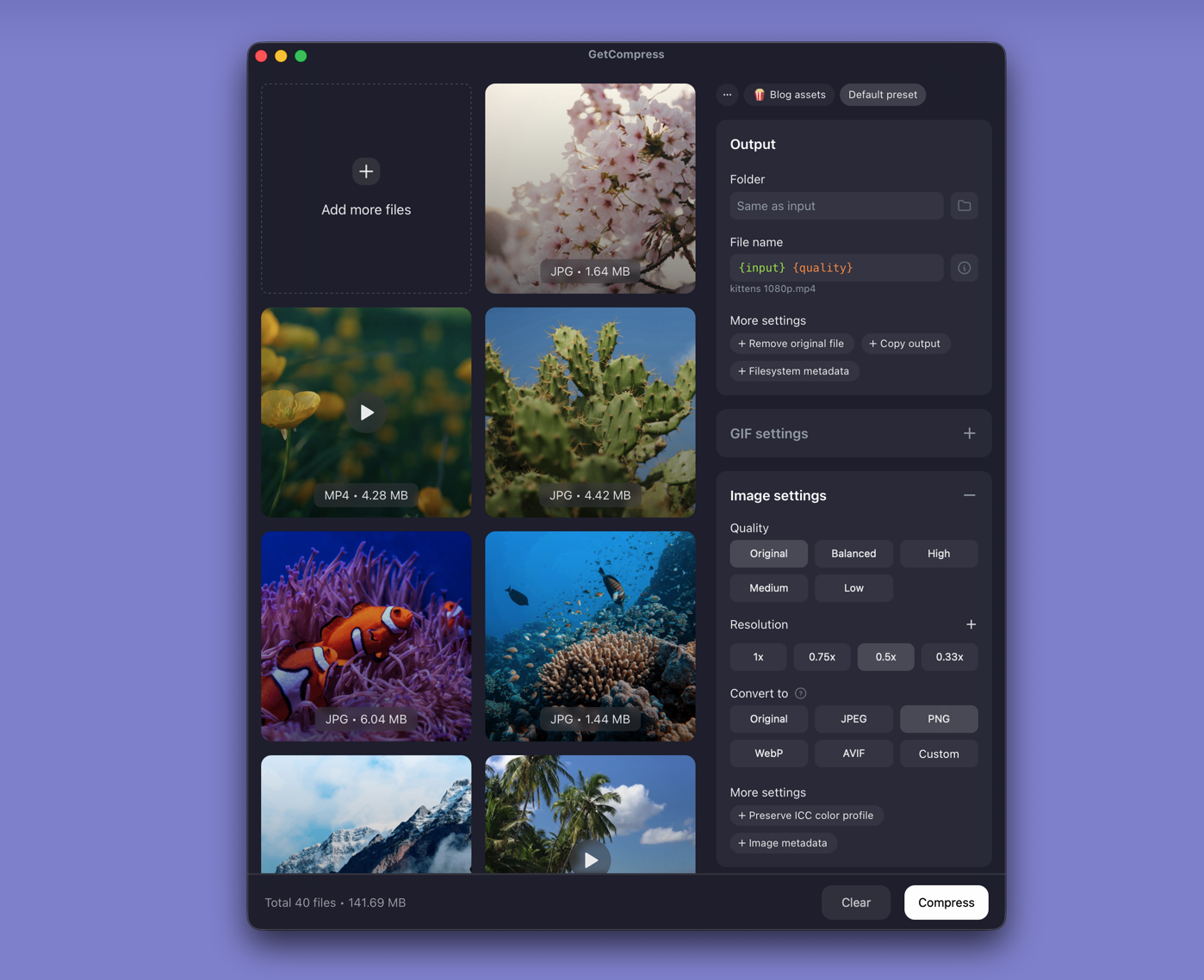
GetCompress keeps the “simple compress” idea but finishes it properly:
- Drop the file locally; nothing is uploaded.
- Quality and resolution so you shrink pixels before crushing quality.
- Format conversion (WebP, JPEG, PNG, HEIC paths, SVG) when the destination needs a different type.
- Batch and presets for more than one screenshot.
- Preview before you accept the result.
- Video, GIF, and PDF in the same app.
Online one-click tools feel easy until the file is private, too large for the site, or needs resize plus convert. GetCompress covers those gaps without adding encoder complexity.
Compressor.io or GetCompress
| Situation | Better pick |
|---|---|
| Private photos or client assets | GetCompress |
| Resize plus compress | GetCompress |
| Folder of images | GetCompress |
| One public image and no install allowed | Compressor.io can work; GetCompress is still the stronger alternative |
Using GetCompress instead of Compressor.io
- Drop the image into GetCompress.
- Keep defaults or set quality and resolution.
- Export locally and verify size and sharpness.
For a free browser tool that does not upload image pixels to a classic compressor, see Squoosh . For a local TinyPNG-style workflow, see TinyPNG alternative . For the best usable result with minimal effort and no upload, GetCompress is the better Compressor.io alternative.
- Best Image CompressorsCompare 6 image compressors for smaller JPG, PNG, WebP, SVG, and HEIC files: GetCompress, Squoosh, jpegoptim, Preview, GIMP, and oxipng.
- TinyPNG AlternativeLooking for a TinyPNG alternative? GetCompress shrinks JPG, PNG, WebP, HEIC, and SVG locally with resize and convert, without uploading client photos.
- Online compressor safetyWhat happens when you upload files to online compressors, and what to use on Mac instead with Preview, QuickTime, and GetCompress.
- How to Compress Images on MacCompress images on Mac with GetCompress, Preview, or sips. Resize JPG and PNG, convert HEIC, and keep sharp UI for email or web.