Best HandBrake Alternative
Looking for a HandBrake alternative? GetCompress is simpler for smaller, shareable video with target size, preview, and local processing, plus images, GIFs, and PDFs.
HandBrake (often misspelled Handbreak) is a free, open-source video transcoder for Windows, macOS, and Linux. It is strong when you want deep encode control. If your real job is getting a file small enough and compatible enough to upload or send, with as little setup as possible, GetCompress is the better HandBrake alternative.
GetCompress vs HandBrake at a glance
| GetCompress | HandBrake | |
|---|---|---|
| Best for | Smaller, shareable video with minimal setup | Free high-quality re-encodes with deep presets |
| Ease | Defaults aimed at a good result quickly | Dense panel; RF/CRF-style settings take learning |
| Target file size | Exact target size for video | No one-step target size; tune quality, bitrate, resolution |
| Preview and trim | Built-in preview and trim | Encode-focused; trim is limited compared with a delivery app |
| Beyond video | Images, GIFs, and PDFs in the same app | Video transcoder only |
| Processing | Local only | Local only |
| Cost model | Free, open source |
What HandBrake is good at
HandBrake converts nearly any common source into modern, widely supported codecs. Official materials describe it as a post-production transcoder for MP4, MKV, and WebM style outputs, with a large preset library and fine control over quality, filters, audio, and subtitles. It runs entirely on your computer, needs no account, and is free under an open-source license. Download only from the official HandBrake site .
That depth is real. The cost is effort: you still choose quality, resolution, and related settings to land under an upload limit, and the UI is built for encoding, not for the shortest path from a too-large clip to a file you can send.
Why GetCompress is the better alternative
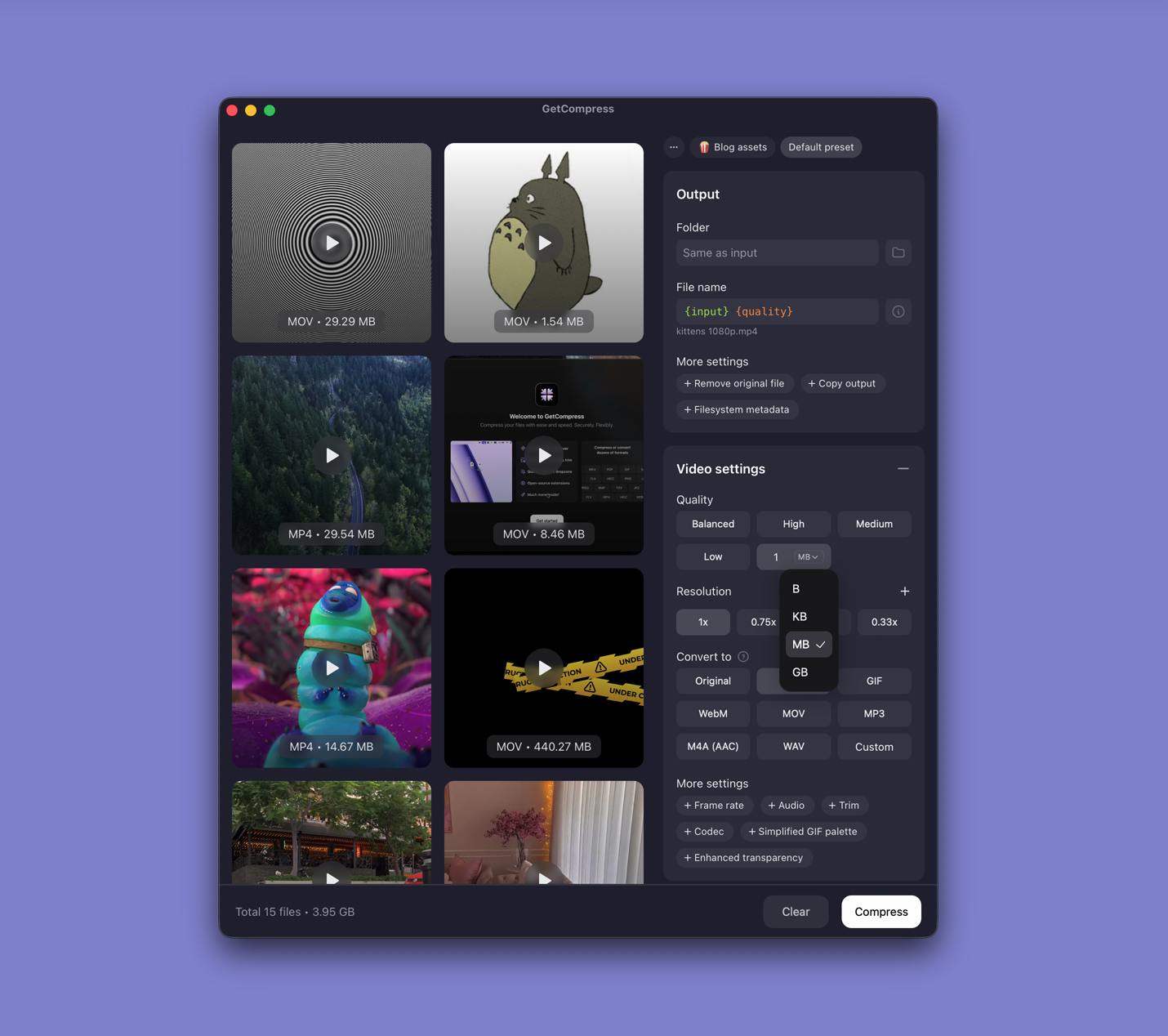
GetCompress compresses and converts video locally on macOS, Windows, and Linux. Drop a file, keep the defaults or set quality, resolution, format, and (when you need it) an exact target file size, then export. You can preview and trim first, save a preset, and drag the result into email, Slack, or an upload form. Nothing is uploaded.
Compared with HandBrake for the jobs most people actually have:
- Less encoder literacy. Defaults aim for significant size reduction with usable quality, instead of starting from RF numbers and device presets.
- Exact target size for video when a form has a hard megabyte cap. HandBrake reaches a size through quality and bitrate choices, not a one-step size target.
- Preview and trim so you export only the part you need before compressing.
- Images, GIFs, and PDFs in the same app when the next attachment is not another video.
- Batch, presets, mini drop zone, and clipboard or folder monitoring when the friction is getting the file out of your way, not building a custom encode.
HandBrake remains a capable free encoder. GetCompress wins when the goal is the best usable result with the least of your time.
HandBrake or GetCompress
| Situation | Better pick |
|---|---|
| Email, LMS, Slack, or client upload with a size limit | GetCompress |
| You want an exact video file size | GetCompress |
| You also shrink images, GIFs, or PDFs | GetCompress |
| You want free open-source encoding and like HandBrake’s preset model | HandBrake still works; GetCompress is still simpler for delivery |
| Complex subtitle or chapter packaging | Neither is a specialist muxer; use a dedicated packaging tool |
Related guides: best video compressors , how to compress video on Mac , and compress video to a target size on Mac . For CLI-oriented encoding, see FFmpeg alternative .
Using GetCompress instead of HandBrake
- Drop the video into GetCompress.
- Keep the defaults, or set format, resolution, and quality. For a hard upload cap, set an exact target file size.
- Preview and trim if you only need part of the clip.
- Export, then drag the result into the destination.
Keep the master file until you check playback and size. GetCompress is a paid desktop app, not a free open-source transcoder. For free HandBrake-style encoding with deeper manual control, HandBrake remains available from its official site. For the job of making a shareable, correctly sized video with minimal setup, GetCompress is the better alternative.
- Best Video CompressorsCompare the 8 best desktop video compressors of 2026 for sharing, batches, and size limits, from GetCompress to HandBrake, FFmpeg, and VLC.
- Best Video ConvertersCompare the 8 best desktop video converters of 2026 for format changes, remuxing, and delivery, from GetCompress to FFmpeg, HandBrake, and MKVToolNix.
- How to Compress Video on MacCompress video on Mac with GetCompress, QuickTime, or FFmpeg. Trim first, pick 720p or 1080p, and hit email or upload size limits without guessing.
- Target Video Size on MacHit an exact MB cap for email or uploads on Mac. Use GetCompress target file size, or FFmpeg two-pass encoding when you want manual bitrate control.