Best Ezgif Alternative
Looking for an Ezgif alternative? GetCompress compresses GIFs locally with preview, frame-accurate trim, video-to-GIF, and batch, without uploading clips.
Ezgif is a popular browser toolkit for GIF optimize, crop, resize, and related edits. If you want smaller GIFs without uploading, with a real preview and frame-accurate trim, GetCompress is the better Ezgif alternative.
GetCompress vs Ezgif at a glance
| GetCompress | Ezgif | |
|---|---|---|
| Best for | Local GIF compress, trim, and video-to-GIF | Quick browser GIF optimize and edit |
| Upload | None | Required |
| Preview and trim | Preview plus trim by frame or timestamp, including a frame-by-frame GIF player | Browser editors; upload first |
| Video to GIF | Local convert from video | Online convert tools |
| Batch | Local queue and folders | Browser-oriented |
| Privacy | Files stay on the device | Files go to an online service |
| Cost model | Free online with limits |
What Ezgif is good at
Ezgif packs many GIF utilities in one site: optimize, crop, resize, split, and more. Official optimize tool: ezgif.com/optimize . For a short public clip when you cannot install software, it can be enough.
Weak spots: upload and privacy, size limits, and weaker fit for private product demos or unreleased UI recordings. See are online file compressors safe .
Why GetCompress is the better alternative
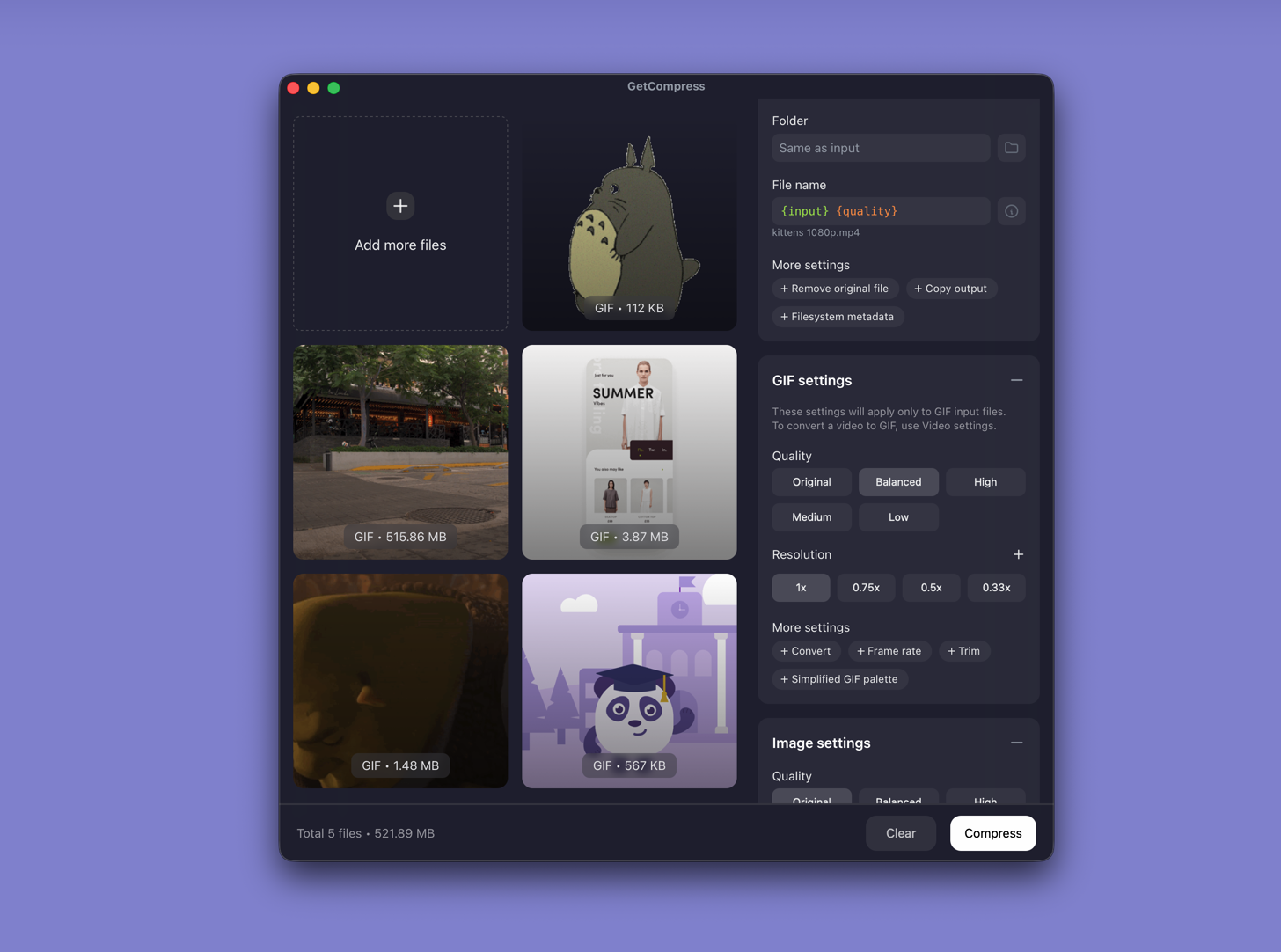
GetCompress compresses GIFs locally on macOS, Windows, and Linux with quality, resolution, frame rate, and palette controls. You can preview the loop, trim by frame or timestamp (including a frame-by-frame player macOS itself does not really offer), convert video to GIF, and save presets.
- No upload for private demos and bug reports.
- Frame-accurate trim so you do not re-export the whole loop.
- Video-to-GIF and optional convert to MP4 or WebP when a lighter format plays better.
- Batch and presets for ticket or chat size limits.
- Images, video, and PDF in the same app when the handoff is mixed.
Ezgif’s online toolkit is broad. GetCompress wins on local quality control and finishing a watchable loop under a limit with less risk.
Ezgif or GetCompress
| Situation | Better pick |
|---|---|
| Private product or bug GIF | GetCompress |
| Trim before compress | GetCompress |
| Video to GIF locally | GetCompress |
| One non-sensitive GIF in a browser | Ezgif can work; GetCompress is still the stronger alternative |
See best GIF compressors and compress GIFs on Mac .
Using GetCompress instead of Ezgif
- Drop a GIF or video into GetCompress.
- Preview, trim to the useful frames, set quality and resolution.
- Export locally (or convert to MP4 when the destination allows it).
Ezgif remains a convenient online toolkit. For local GIF work with better trim and privacy, GetCompress is the better alternative.
- Best GIF CompressorsCompare 5 GIF compressors for smaller loops with usable quality: GetCompress, Gifski, gifsicle, Ezgif, and GIPHY.
- Compress GIFs on MacCompress GIFs on Mac with GetCompress, QuickTime MP4 export, or FFmpeg. Trim, shrink width, or switch to MP4 when the tool allows video.
- Convert Video to GIF on MacConvert MOV or MP4 to GIF on Mac with GetCompress, QuickTime (for MP4), or FFmpeg. Trim first, keep width low, and ask if video is allowed.
- Online compressor safetyWhat happens when you upload files to online compressors, and what to use on Mac instead with Preview, QuickTime, and GetCompress.