Best Smallpdf Alternative
Looking for a Smallpdf alternative? GetCompress shrinks image-heavy PDFs locally with quality presets and batch, without uploading contracts or decks.
Smallpdf is a well-known online PDF suite that includes compress among many other tools. If your job is making an image-heavy deck or scan small enough to email without uploading it, GetCompress is the better Smallpdf alternative.
GetCompress vs Smallpdf at a glance
| GetCompress | Smallpdf | |
|---|---|---|
| Best for | Local compress of image-heavy PDFs | Online PDF toolkit including compress |
| Upload | None | Required for web tools |
| Privacy | Files stay on the device | Files pass through an online service |
| Batch | Local queues and folders | Browser/web workflow with plan limits |
| Beyond PDF | Images, video, GIF | PDF-focused online suite |
| Cost model | Free tier with limits; paid plans |
What Smallpdf is good at
Smallpdf covers compress plus a wide set of PDF utilities in the browser. Official site: smallpdf.com . That suite is convenient when installs are blocked and the document is already approved for cloud processing.
Weak spots for contracts, resumes, and client decks: upload risk, plan limits, and weaker fit when you also need to shrink related images or video. See are online file compressors safe .
Why GetCompress is the better alternative
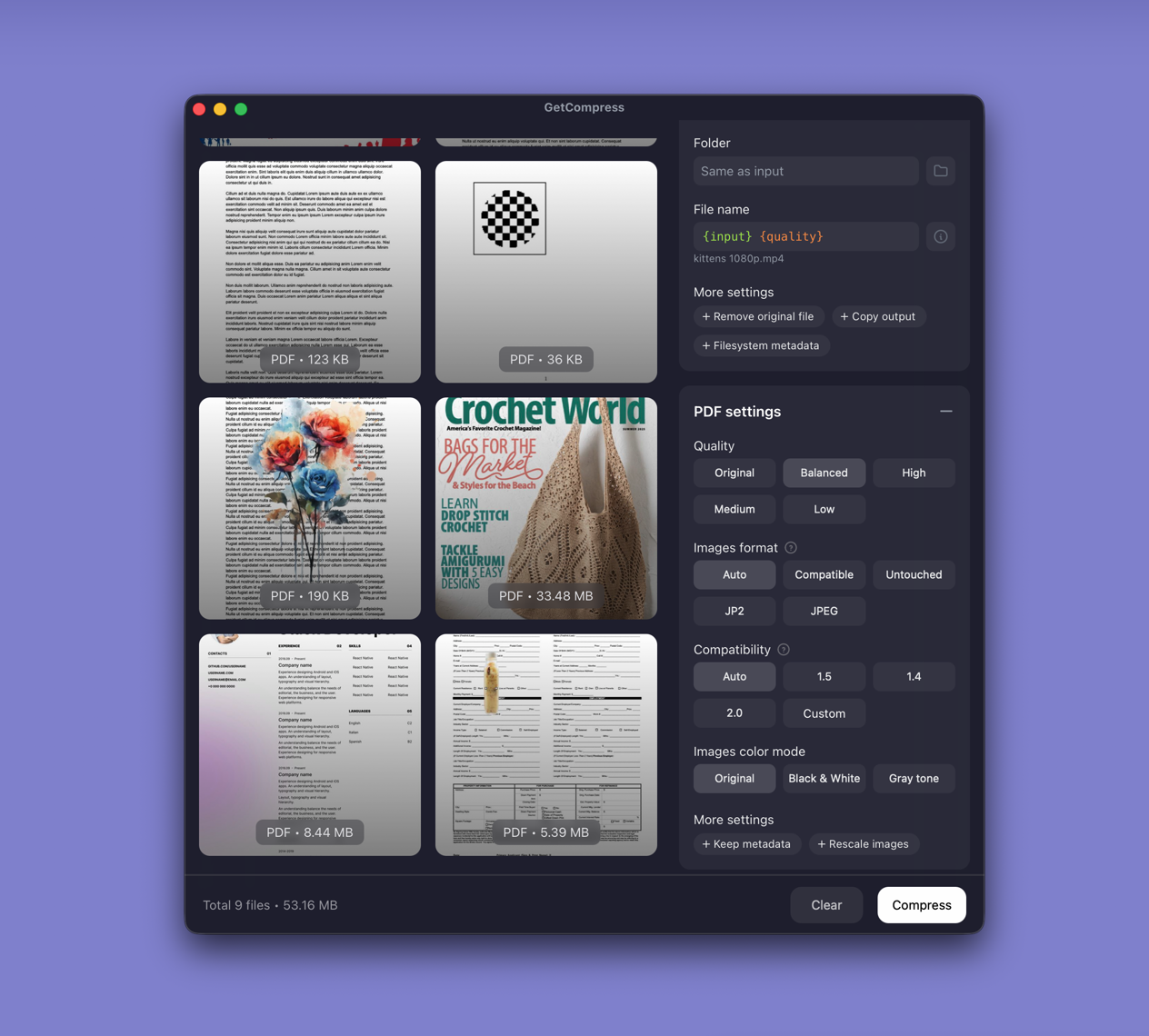
Most PDF weight sits in embedded photos and scans. GetCompress recompresses those images locally with quality presets, optional image format controls, metadata stripping by default, and batch support.
- No upload for confidential decks.
- Readable defaults aimed at significant size reduction without turning text into mush.
- Batch when a folder of exports arrives.
- Images, video, and GIF in the same app when the email needs more than one PDF.
- No server file-size cap on your machine.
GetCompress is not a full online PDF editor suite (merge, sign, fill forms). For making PDFs smaller, it is the better pick.
Smallpdf or GetCompress
| Situation | Better pick |
|---|---|
| Client decks, contracts, or internal scans | GetCompress |
| Folder of image-heavy PDFs | GetCompress |
| Mixed PDF plus images or video | GetCompress |
| Online merge/sign tools on non-sensitive files | Smallpdf suite; GetCompress for compress |
See best PDF compressors and how to compress PDF on Mac .
Using GetCompress instead of Smallpdf
- Drop the PDF into GetCompress.
- Choose a quality level suitable for email or upload.
- Export a new file and keep the master.
Smallpdf remains a broad online PDF suite. For local PDF compression with less risk and less setup around quality, GetCompress is the better alternative.
- Best PDF CompressorsCompare 8 PDF compressors for smaller decks and scans: GetCompress, Preview, Ghostscript, Stirling PDF, LibreOffice, Office export, MuPDF, and qpdf.
- How to Compress PDF on MacCompress PDF on Mac with GetCompress, Preview Reduce File Size, or a Keynote re-export. Shrink decks and scans for email and portals.
- How to Compress PDF on WindowsCompress PDF on Windows with GetCompress, PowerPoint re-export, or Ghostscript. Shrink decks and scans for Outlook and portals.
- Online compressor safetyWhat happens when you upload files to online compressors, and what to use on Mac instead with Preview, QuickTime, and GetCompress.