Best Shutter Encoder Alternative
Looking for a Shutter Encoder alternative? GetCompress finishes compress and convert faster with defaults, target size, preview, and local multi-media support.
Shutter Encoder is a free, open-source media converter with a graphical interface built around FFmpeg. It is strong when you want a wide codec and function surface. If you mainly need a smaller, compatible file with minimal orientation, GetCompress is the better Shutter Encoder alternative.
GetCompress vs Shutter Encoder at a glance
| GetCompress | Shutter Encoder | |
|---|---|---|
| Best for | Delivery-ready compress and convert with little setup | FFmpeg-level features in a dense GUI |
| Ease | Defaults and presets aimed at a finished file | Broad function list; first runs take orientation |
| Target file size | Exact target size for video | Encode settings, not a one-step size target |
| Preview and trim | Built-in preview and trim | Technical convert/encode focus |
| Beyond video | Images, GIFs, and PDFs in the same app | Media toolkit oriented around FFmpeg functions |
| Processing | Local only | Local only |
| Cost model | Free, open source |
What Shutter Encoder is good at
Shutter Encoder targets editors and technical users who want broad codec access, filters, and analysis tools without living in a terminal. It runs on macOS, Windows, and Linux and stays free. Official site: shutterencoder.com .
The tradeoff is the same as other FFmpeg-power GUIs: many functions, easy to pick a path that re-encodes when you only needed a simple shareable export, and more time spent choosing settings than finishing the job.
Why GetCompress is the better alternative
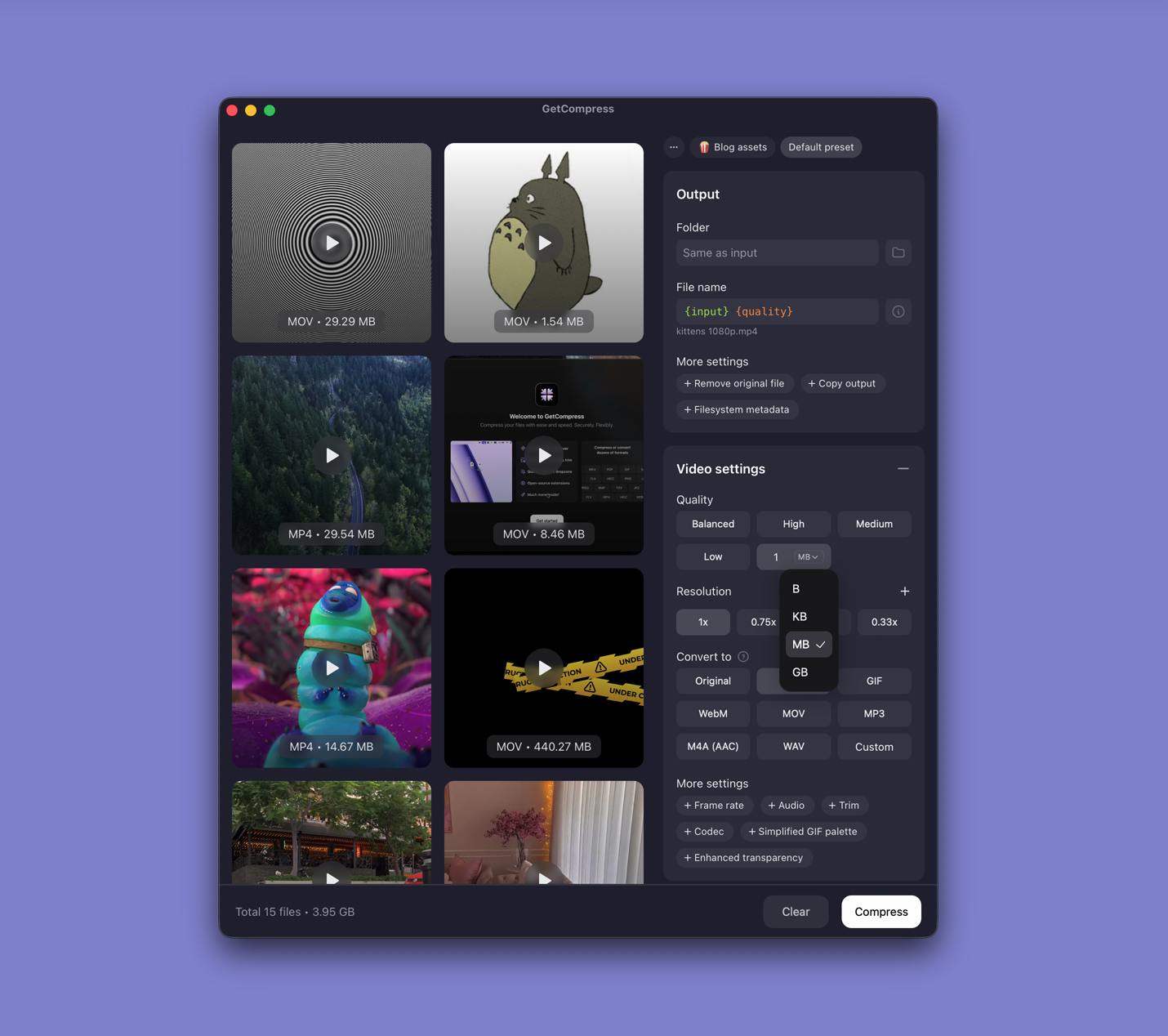
GetCompress keeps the focus on the result: a file that opens and uploads.
- Sensible defaults instead of scanning a long function list for the right encode mode.
- Exact target file size for video when the destination has a hard cap.
- Preview and trim before export.
- Presets and batch so the next similar clip is one click.
- Images, GIFs, and PDFs without switching tools.
- Local-only processing, so client or unreleased material stays on the device.
- Mini drop zone, clipboard monitoring, and folder monitoring for friction around the encode itself.
If you specifically want free FFmpeg depth in another GUI, Shutter Encoder remains capable. For finishing compress and convert with the least effort, GetCompress wins. Related: FFmpeg alternative and HandBrake alternative .
Shutter Encoder or GetCompress
| Situation | Better pick |
|---|---|
| Email, course, or client upload | GetCompress |
| Exact video megabyte target | GetCompress |
| Mixed media (video plus images or PDF) | GetCompress |
| You want free open-source FFmpeg functions and analysis tools | Shutter Encoder still fits that niche; GetCompress stays simpler for delivery |
See best video compressors for a wider tool set.
Using GetCompress instead of Shutter Encoder
- Drop the clip into GetCompress.
- Keep defaults or set format, quality, resolution, and optional target size.
- Preview and trim if needed.
- Export and drag the result into the destination.
Keep the master until you check size and playback. Shutter Encoder remains a solid free technical GUI. GetCompress is the better alternative when the job is a usable, correctly sized file with minimal setup.
- Best Video CompressorsCompare the 8 best desktop video compressors of 2026 for sharing, batches, and size limits, from GetCompress to HandBrake, FFmpeg, and VLC.
- Best Video ConvertersCompare the 8 best desktop video converters of 2026 for format changes, remuxing, and delivery, from GetCompress to FFmpeg, HandBrake, and MKVToolNix.
- FFmpeg AlternativeNeed an FFmpeg alternative with a GUI? GetCompress wraps FFmpeg-style compress and convert behind defaults, target size, preview, and local processing.
- HandBrake AlternativeLooking for a HandBrake alternative? GetCompress is simpler for smaller, shareable video with target size, preview, and local processing, plus images, GIFs, and PDFs.