Best iLoveIMG Alternative
Looking for an iLoveIMG alternative? GetCompress compresses and converts images locally with batch and presets, without uploading, and also handles video, GIF, and PDF.
iLoveIMG is an online image toolkit for compress, resize, convert, and related edits in the browser. If you want strong compress and convert without uploading, GetCompress is the better iLoveIMG alternative.
GetCompress vs iLoveIMG at a glance
| GetCompress | iLoveIMG | |
|---|---|---|
| Best for | Local compress and convert with presets | Online image toolkit suite |
| Upload | None | Required for the web tools |
| Privacy | Files stay on the device | Files pass through an online service |
| Batch | Local folders and queues | Browser/web workflow with service limits |
| Beyond images | Video, GIF, PDF | Image-focused online suite |
| Cost model | Free tier with limits; paid plans |
What iLoveIMG is good at
iLoveIMG groups common image tasks in one website: compress, resize, crop, convert, and more. That breadth is convenient when you cannot install software and the files are already public or low risk. Official site: iloveimg.com .
Weak spots: upload and privacy, plan or size limits on free use, and no local desktop queue for confidential client work. Background: are online file compressors safe .
Why GetCompress is the better alternative
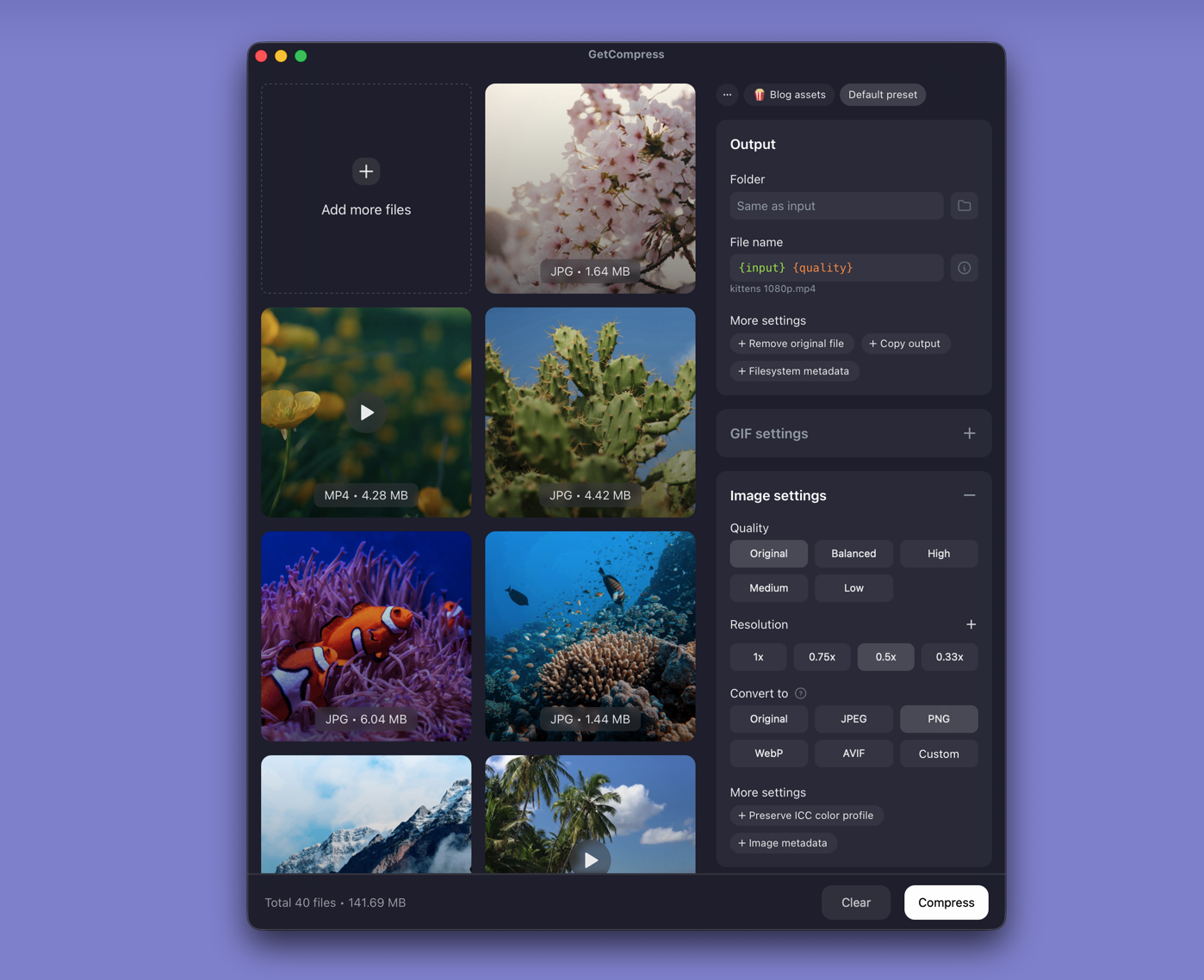
For the compress and convert jobs people open iLoveIMG to finish, GetCompress is stronger:
- Local-only processing with no upload step.
- Quality, resize, and format (including HEIC, WebP, and SVG) in one panel.
- Defaults aimed at significant size reduction with usable quality.
- Batch and presets without browser tab juggling.
- Preview, mini drop zone, and clipboard monitoring for screenshots and chat uploads.
- Video, GIF, and PDF when the handoff is mixed.
iLoveIMG’s suite covers edits GetCompress is not trying to replace (full online crop/rotate toolkits). For making images smaller and correctly formatted, GetCompress is the better pick.
iLoveIMG or GetCompress
| Situation | Better pick |
|---|---|
| Private or client images | GetCompress |
| Folder compress and convert | GetCompress |
| Mixed media delivery | GetCompress |
| One non-sensitive image on a locked-down PC without installs | iLoveIMG can work; GetCompress is still the better ongoing alternative |
Using GetCompress instead of iLoveIMG
- Drop images into GetCompress.
- Set quality, resolution, and format.
- Export locally and keep masters until you verify the result.
GetCompress is the better iLoveIMG alternative for compress and convert with privacy and less friction.
- Best Image CompressorsCompare 6 image compressors for smaller JPG, PNG, WebP, SVG, and HEIC files: GetCompress, Squoosh, jpegoptim, Preview, GIMP, and oxipng.
- Best Image ConvertersCompare 8 image converters for HEIC, WebP, AVIF, SVG, and PNG paths: GetCompress, ImageMagick, Inkscape, sips, IrfanView, GIMP, FFmpeg, and XnConvert.
- Online compressor safetyWhat happens when you upload files to online compressors, and what to use on Mac instead with Preview, QuickTime, and GetCompress.
- TinyPNG AlternativeLooking for a TinyPNG alternative? GetCompress shrinks JPG, PNG, WebP, HEIC, and SVG locally with resize and convert, without uploading client photos.