Best XnConvert Alternative
Looking for an XnConvert alternative? GetCompress combines batch convert with strong compression defaults, resize, preview, and video, GIF, and PDF in one local app.
XnConvert is a free batch image converter for Windows, macOS, and Linux with a wide format list and transform actions. If your goal is smaller, ready-to-send images with less setup around quality, GetCompress is the better XnConvert alternative.
GetCompress vs XnConvert at a glance
| GetCompress | XnConvert | |
|---|---|---|
| Best for | Batch compress and convert with strong defaults | Free batch convert and transform chains |
| Format breadth | 107+ media formats including common share paths | Very wide still-image format catalog |
| Compression focus | Defaults aimed at significant size reduction | Convert-first; compress is one of many actions |
| Preview | Media preview before export | Convert/batch oriented |
| Beyond images | Video, GIF, PDF | Image-focused batch tool |
| Processing | Local only | Local only |
| Cost model | Free for typical personal use (confirm license on vendor site) |
What XnConvert is good at
XnConvert automates convert, resize, crop, and related actions across large format lists (vendor materials cite 500+ input formats and dozens of outputs). Presets and batch queues help when you already know the transform chain you want. Official page: xnview.com/en/xnconvert .
Weak spots for delivery work: the interface is denser than a preset-first compressor, quality defaults are not the product’s main story, and video or PDF jobs still need other tools.
Why GetCompress is the better alternative
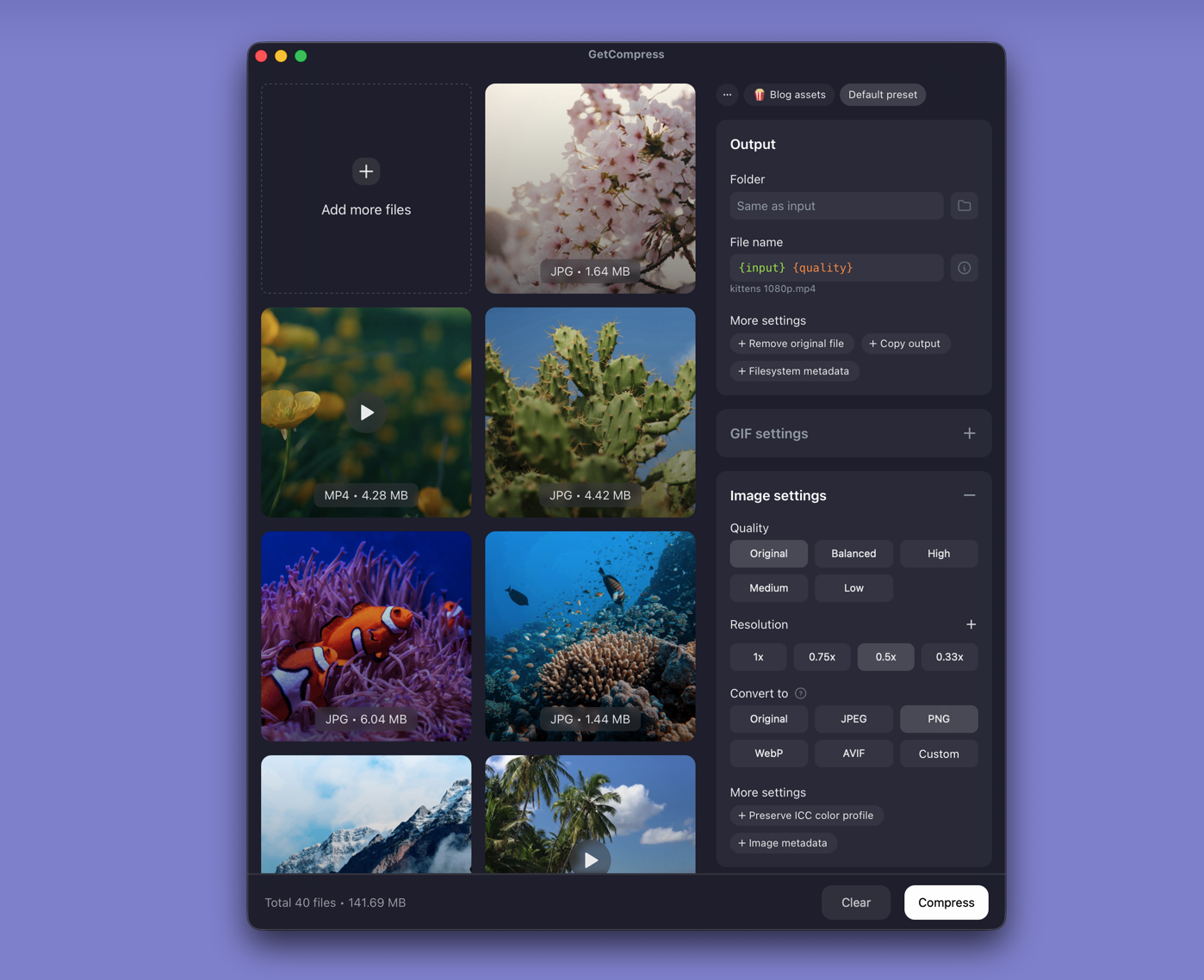
GetCompress treats convert and compress as one job:
- Drop a folder, pick output format, quality, and resolution, and let defaults do the heavy lifting.
- Significant compression with minimal quality loss as the primary outcome, not an extra action to configure.
- Preview so you catch soft text or banding before you ship.
- HEIC, WebP, SVG, and common share formats in the same queue.
- Video, GIF, and PDF when the batch is mixed.
- Reusable presets for email, web, or chat limits.
XnConvert wins on raw still-format catalog size. GetCompress wins on finishing smaller, usable files with less configuration.
XnConvert or GetCompress
| Situation | Better pick |
|---|---|
| HEIC or PNG folders for upload with size and quality in mind | GetCompress |
| Mixed images plus video or PDF | GetCompress |
| Obscure still formats or long transform chains | XnConvert may still help; GetCompress covers common delivery formats better |
| Free batch GUI for convert-only jobs | XnConvert; GetCompress remains stronger when size quality matters |
See best image converters and batch convert HEIC on Mac .
Using GetCompress instead of XnConvert
- Drop the image folder into GetCompress.
- Choose format (for example JPEG or WebP), quality, and max resolution.
- Preview a sample, export the batch, keep masters.
XnConvert remains a capable free converter. For compress-and-convert that aims at the best usable result with less setup, GetCompress is the better alternative.
- Best Image ConvertersCompare 8 image converters for HEIC, WebP, AVIF, SVG, and PNG paths: GetCompress, ImageMagick, Inkscape, sips, IrfanView, GIMP, FFmpeg, and XnConvert.
- Best Image CompressorsCompare 6 image compressors for smaller JPG, PNG, WebP, SVG, and HEIC files: GetCompress, Squoosh, jpegoptim, Preview, GIMP, and oxipng.
- Batch Convert HEIC on MacBatch convert HEIC to JPG on Mac with GetCompress, Photos, or Terminal sips. Real estate and event photo workflows.
- How to Compress Images on MacCompress images on Mac with GetCompress, Preview, or sips. Resize JPG and PNG, convert HEIC, and keep sharp UI for email or web.