Best iLovePDF Alternative
Looking for an iLovePDF alternative? GetCompress compresses image-heavy PDFs locally with quality presets and batch, without uploading sensitive documents.
iLovePDF is an online PDF suite for compress, merge, split, convert, and many other tasks. If the job you care about is making a heavy PDF small enough to send without uploading it, GetCompress is the better iLovePDF alternative.
GetCompress vs iLovePDF at a glance
| GetCompress | iLovePDF | |
|---|---|---|
| Best for | Local compress of image-heavy PDFs | Online PDF suite (compress plus many edits) |
| Upload | None | Required for web tools |
| Privacy | Files stay on the device | Files pass through an online service |
| Compress focus | Image optimization presets and batch | One of many suite tools |
| Beyond PDF | Images, video, GIF | PDF-focused online suite |
| Cost model | Free tier with limits; paid plans |
What iLovePDF is good at
iLovePDF’s strength is breadth: compress sits beside merge, split, unlock, convert, and related utilities. Official site: ilovepdf.com . That matters when you need suite operations in a browser.
Weak spots for compress specifically: upload and privacy for contracts and client decks, free-tier limits, and no local mixed-media path for the rest of an email package. See are online file compressors safe .
Why GetCompress is the better alternative
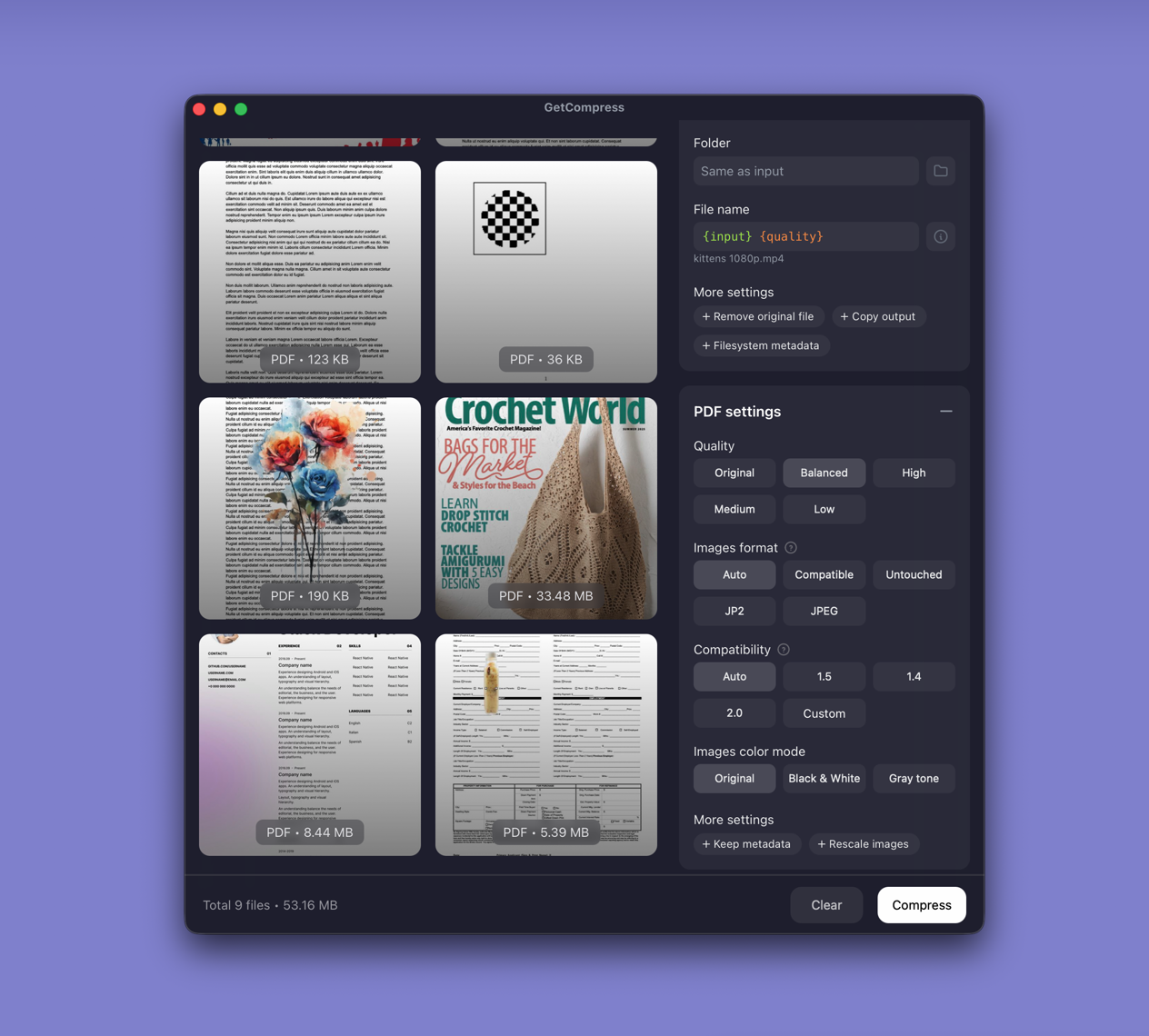
GetCompress focuses on the compress outcome that usually fails email and portals: embedded images and scans.
- Local recompression of image-heavy PDFs with readable quality presets.
- Batch for folders of exports.
- Metadata removal by default when you want smaller, cleaner files.
- No upload and no server size gate on your machine.
- Images, video, and GIF prepared in the same app.
Be clear: GetCompress is not trying to replace every iLovePDF suite button (merge, e-sign, fill forms). For making PDFs smaller with minimal effort and less risk, it is the better alternative. Compared with Smallpdf, iLovePDF is the same online-suite pattern with a different brand and tool mix; see Smallpdf alternative for that angle.
iLovePDF or GetCompress
| Situation | Better pick |
|---|---|
| Shrink a deck or scan for email | GetCompress |
| Confidential PDFs | GetCompress |
| Mixed PDF plus media attachments | GetCompress |
| Browser merge/split on non-sensitive files | iLovePDF suite; GetCompress for compress |
Using GetCompress instead of iLovePDF
- Drop the PDF into GetCompress.
- Pick a quality suitable for the destination.
- Export a new compressed copy and keep the master.
iLovePDF remains a large online toolkit. For local PDF compression that prioritizes readable size reduction, GetCompress is the better alternative.
- Best PDF CompressorsCompare 8 PDF compressors for smaller decks and scans: GetCompress, Preview, Ghostscript, Stirling PDF, LibreOffice, Office export, MuPDF, and qpdf.
- How to Compress PDF on MacCompress PDF on Mac with GetCompress, Preview Reduce File Size, or a Keynote re-export. Shrink decks and scans for email and portals.
- Smallpdf AlternativeLooking for a Smallpdf alternative? GetCompress shrinks image-heavy PDFs locally with quality presets and batch, without uploading contracts or decks.
- Online compressor safetyWhat happens when you upload files to online compressors, and what to use on Mac instead with Preview, QuickTime, and GetCompress.