Best Squoosh Alternative
Looking for a Squoosh alternative? GetCompress handles folders of images locally with quality, resize, and format controls, plus video, GIF, and PDF in one app.
Squoosh is a free Google Chrome Labs web app for compressing images in the browser with a live before-and-after preview. Processing stays on the device rather than a classic upload compressor. If you need folders, presets, HEIC or SVG paths, or mixed media, GetCompress is the better Squoosh alternative.
GetCompress vs Squoosh at a glance
| GetCompress | Squoosh | |
|---|---|---|
| Best for | Local compress, resize, convert, and batch | Free in-browser encode with live preview |
| Batch | Folders and queues | Awkward for large folders |
| Formats | JPEG, PNG, WebP, HEIC, SVG, and more | Strong modern codecs (WebP, AVIF, MozJPEG-style options) |
| Workflow | Desktop app, presets, drop zone | Browser / PWA session |
| Beyond images | Video, GIF, PDF | Still images |
| Processing | Local desktop | Local in the browser page |
| Cost model | Free |
What Squoosh is good at
Squoosh shines as a codec lab: open one image, compare quality visually, and try WebP, AVIF, and related encoders. Official app: squoosh.app . Privacy for the image payload is better than upload sites because work stays in the page (the project notes analytics separately on GitHub).
Weak spots: multi-file workflows, desktop integrations, HEIC-heavy phone dumps, SVG, and anything that is not a still image. Browser limits also differ from a dedicated queue.
Why GetCompress is the better alternative
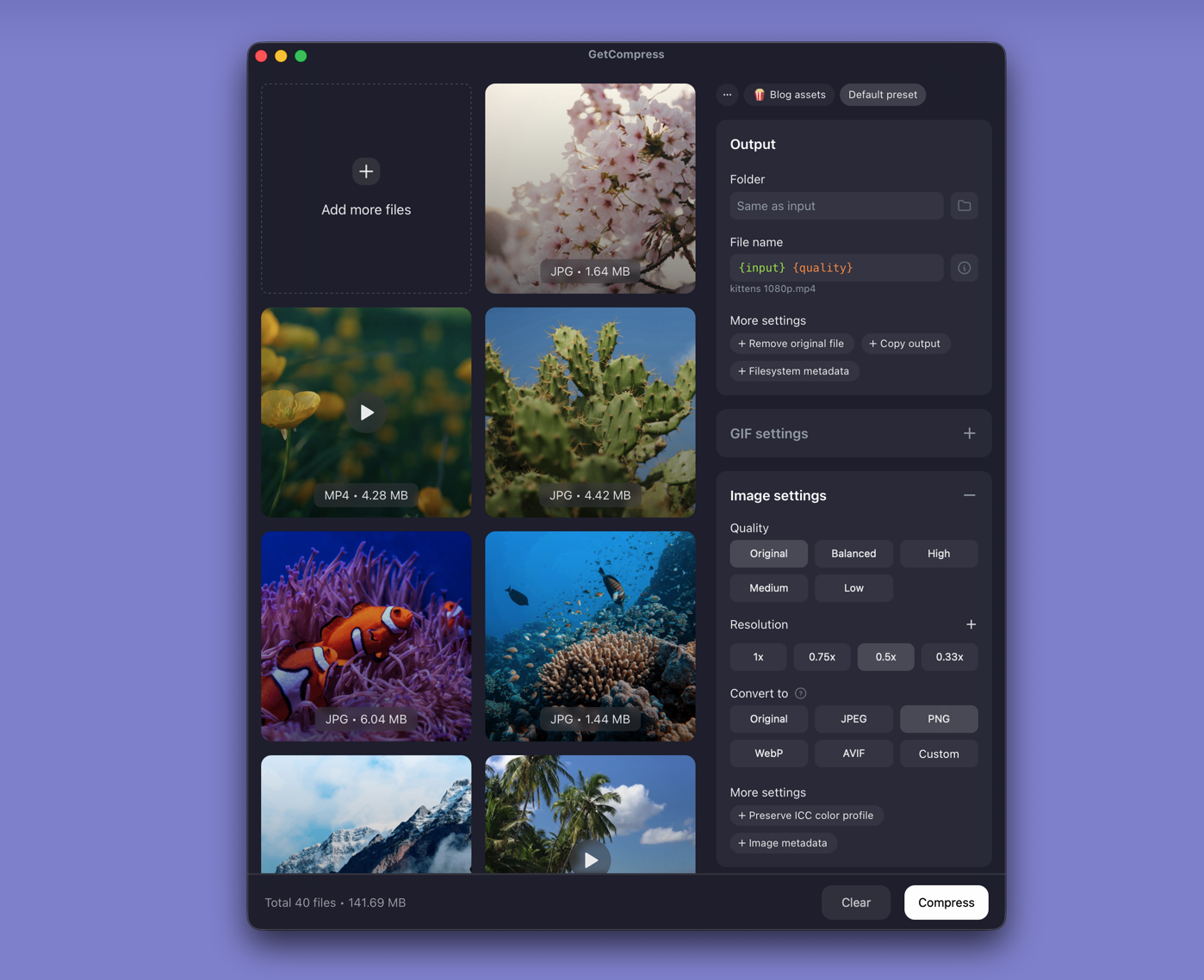
GetCompress is built to finish the file, not only to inspect codecs:
- Drop a folder, set quality and resolution, pick an output format, and export once.
- Reusable presets for the same CMS or email limit.
- HEIC and SVG alongside JPG, PNG, and WebP.
- Preview in a desktop workflow without juggling browser tabs.
- Video, GIF, and PDF in the same app.
- Clipboard and mini drop zone for screenshots that need to get smaller immediately.
Use Squoosh when you want a free visual codec comparison on one file. Use GetCompress when you want the best usable result with less effort across real delivery work.
Squoosh or GetCompress
| Situation | Better pick |
|---|---|
| Folder of images for upload | GetCompress |
| HEIC phone photos or SVG assets | GetCompress |
| Mixed media handoff | GetCompress |
| Compare AVIF vs WebP on one public asset | Squoosh is fine; GetCompress still covers the full prepare path |
Using GetCompress instead of Squoosh
- Drop one image or a folder into GetCompress.
- Set quality, resolution, and format (for example WebP for the web).
- Preview if needed, export, and keep masters.
Squoosh remains a first-rate free browser experiment tool. For compress and convert that scales past one file, GetCompress is the better alternative.
- Best Image CompressorsCompare 6 image compressors for smaller JPG, PNG, WebP, SVG, and HEIC files: GetCompress, Squoosh, jpegoptim, Preview, GIMP, and oxipng.
- Best Image ConvertersCompare 8 image converters for HEIC, WebP, AVIF, SVG, and PNG paths: GetCompress, ImageMagick, Inkscape, sips, IrfanView, GIMP, FFmpeg, and XnConvert.
- Convert PNG to WebP on MacConvert PNG to WebP on Mac with GetCompress, cwebp, or a Preview resize first. Keep a JPEG or PNG fallback for older browsers.
- How to Compress Images on MacCompress images on Mac with GetCompress, Preview, or sips. Resize JPG and PNG, convert HEIC, and keep sharp UI for email or web.