Best TinyPNG Alternative
Looking for a TinyPNG alternative? GetCompress shrinks JPG, PNG, WebP, HEIC, and SVG locally with resize and convert, without uploading client photos.
TinyPNG (with TinyJPG under the same Tinify service) is a popular online way to shrink PNG and JPEG files. If you want the same outcome without uploading, with resize, more formats, and control on your machine, GetCompress is the better TinyPNG alternative.
GetCompress vs TinyPNG at a glance
| GetCompress | TinyPNG | |
|---|---|---|
| Best for | Local compress, resize, and convert | Quick online smart lossy optimize |
| Formats | JPEG, PNG, WebP, HEIC, SVG, and more | Strong on PNG/JPEG (Tinify also documents WebP/AVIF via API) |
| Upload | None; files stay on the device | Files go to TinyPNG / Tinify servers |
| Resize and convert | Same local step | Available via web/API flows; core web UX is compress-first |
| Beyond images | Video, GIF, PDF | Image optimization service |
| Batch | Local queue and folders | Web and API batch with service limits |
| Cost model | Free web tier with limits; paid API |
What TinyPNG is good at
TinyPNG applies smart lossy compression that often keeps images looking good at a much smaller size. The web tool is familiar, and the Tinify API supports automation for supported formats. For a public marketing asset that is already safe to upload, it can be enough.
Weak spots: anything confidential should not go to a random upload service, free tiers have limits, HEIC and SVG workflows are weaker than a desktop media app, and you still leave your machine for the core job. See are online file compressors safe .
Why GetCompress is the better alternative
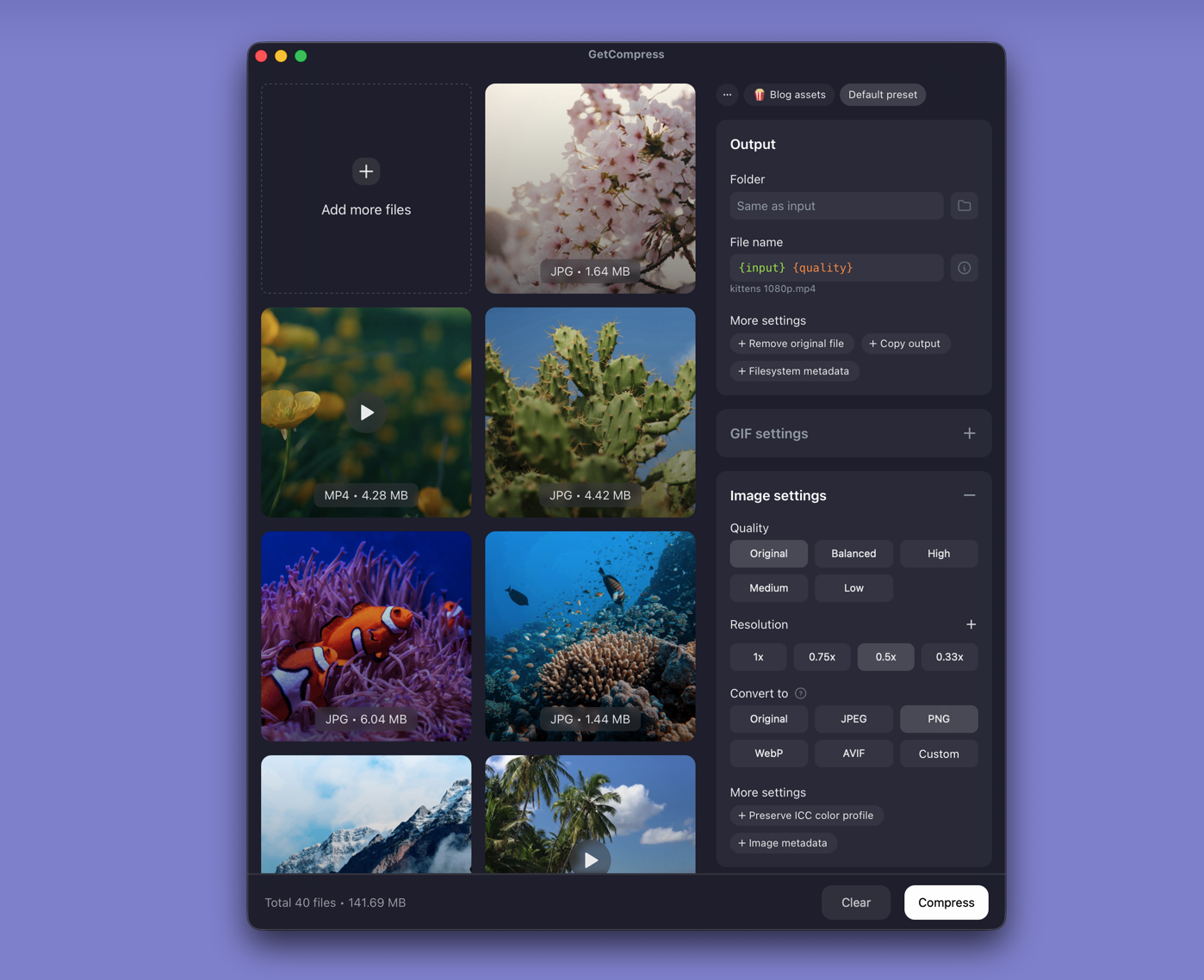
GetCompress does the TinyPNG-style job locally:
- No upload, so client photos and product shots never leave the device, and there is no server file-size cap on your end.
- Quality, resolution, and format in one panel, including WebP, HEIC, and SVG paths many web compressors skip.
- Batch and presets without counting online free compressions.
- Preview before you accept an aggressive setting.
- Video, GIF, and PDF when the next attachment is not another PNG.
TinyPNG’s reputation for “smart” web compression is fair. GetCompress wins when privacy, format coverage, and finishing the file on your computer matter more than a browser upload.
TinyPNG or GetCompress
| Situation | Better pick |
|---|---|
| Client, product, or private photos | GetCompress |
| HEIC, SVG, or convert plus compress | GetCompress |
| Folder of images without upload limits | GetCompress |
| One non-sensitive PNG/JPEG in a browser | TinyPNG can still work; GetCompress stays stronger overall |
Using GetCompress instead of TinyPNG
- Drop PNG, JPEG, or other supported images into GetCompress.
- Set quality and optional resize or format (for example PNG to WebP).
- Preview, export, and keep masters until you check the result.
For a related free browser tool that processes locally in-page, see Squoosh alternative . For the prepare-for-upload path with local control, GetCompress is the better TinyPNG alternative.
- Best Image CompressorsCompare 6 image compressors for smaller JPG, PNG, WebP, SVG, and HEIC files: GetCompress, Squoosh, jpegoptim, Preview, GIMP, and oxipng.
- How to Compress Images on MacCompress images on Mac with GetCompress, Preview, or sips. Resize JPG and PNG, convert HEIC, and keep sharp UI for email or web.
- Compress PNG on MacCompress PNG on Mac with GetCompress, Preview, or oxipng. Resize first, then lossless recompress screenshots without losing transparency.
- Online compressor safetyWhat happens when you upload files to online compressors, and what to use on Mac instead with Preview, QuickTime, and GetCompress.