Best Ghostscript Alternative
Looking for a Ghostscript alternative? GetCompress shrinks image-heavy PDFs with a simple local UI, quality presets, and batch, without writing PDF rewrite commands.
Ghostscript is a free interpreter widely used to rewrite PDFs with settings such as /screen, /ebook, and /printer. If you want that outcome without learning command lines, GetCompress is the better Ghostscript alternative for image-heavy decks and scans.
GetCompress vs Ghostscript at a glance
| GetCompress | Ghostscript | |
|---|---|---|
| Best for | Local PDF compress with a simple UI | Free scriptable PDF rewrite |
| Interface | Desktop app with quality presets | CLI / embedded engine |
| Image-heavy PDFs | Presets aimed at readable size reduction | Powerful, but you choose Distiller-style settings |
| Batch | Local queues and folders | Scripts and automation |
| Beyond PDF | Images, video, GIF | PDF/PostScript-focused toolkit |
| Processing | Local only | Local only |
| Cost model | Free (check current license for your use) |
What Ghostscript is good at
Ghostscript is the usual engine behind many “compress PDF” scripts and server jobs. Official site: ghostscript.com . If you already maintain a pipeline, the CLI is flexible and free.
Weak spots for most people: flags, Distiller-style presets that are easy to set too aggressively, no friendly preview workflow, and no help with the rest of a media handoff.
Why GetCompress is the better alternative
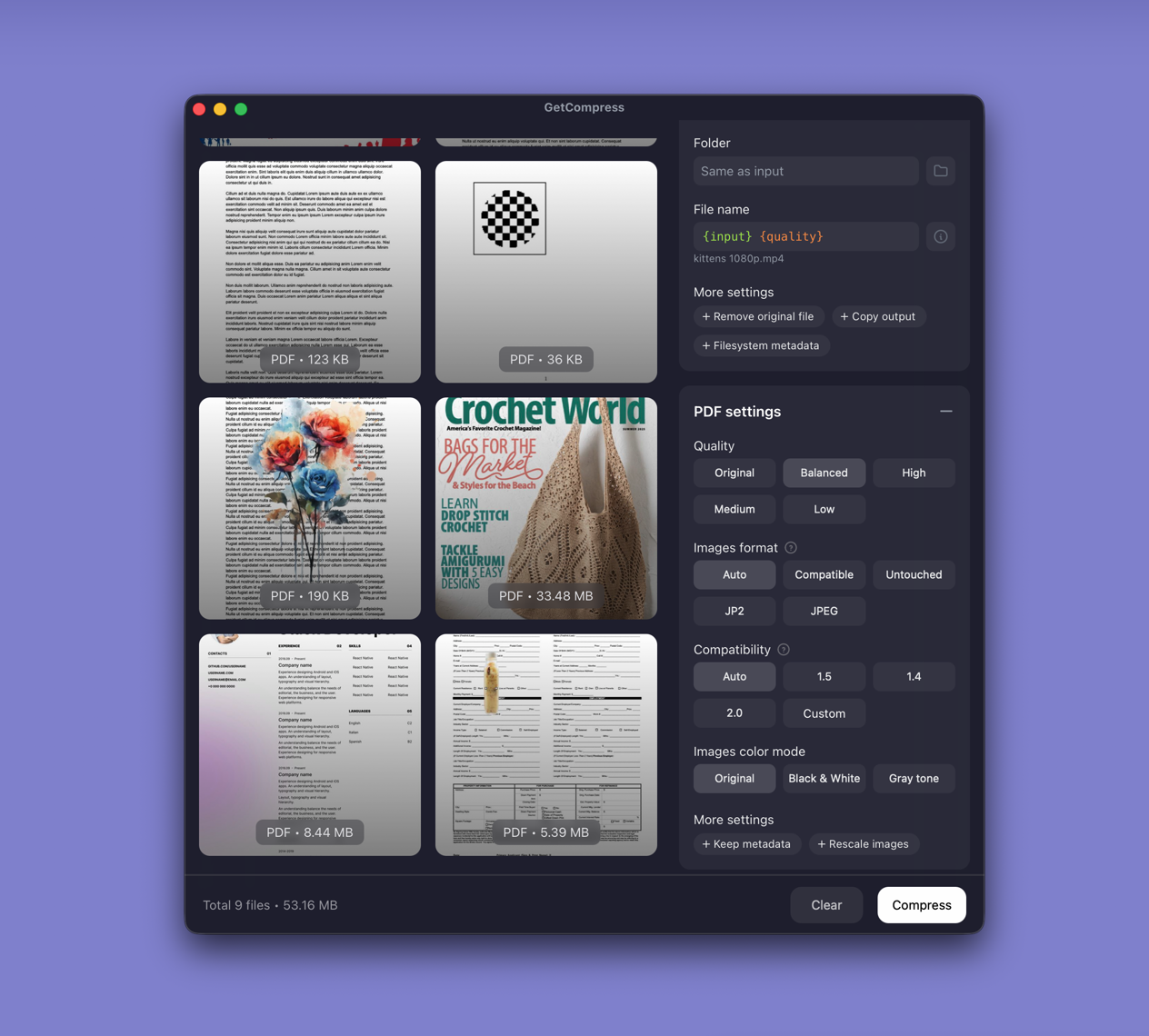
GetCompress exposes PDF compression as a product feature, not a command to assemble:
- Quality presets for image-heavy documents without
/ebookmemorization. - Batch from a folder drop.
- Metadata controls and image format options when needed.
- Preview-oriented desktop workflow for the files around the PDF (images, video, GIF).
- Less risk of an unreadable scan from an overly aggressive script default.
Ghostscript remains the right free engine for admins and developers who want scripts. GetCompress wins when the user should not have to be that admin.
Ghostscript or GetCompress
| Situation | Better pick |
|---|---|
| Email-ready deck or scan on a desktop | GetCompress |
| Mixed PDF plus images or video | GetCompress |
| Server or scripted rewrite with known flags | Ghostscript |
| You already standardized on Ghostscript in CI | Keep Ghostscript there; use GetCompress for interactive jobs |
See best PDF compressors .
Using GetCompress instead of Ghostscript
- Drop the PDF into GetCompress.
- Choose a quality level and export a new file.
- Open the result and check text sharpness before deleting anything.
Ghostscript stays essential for free scripted PDF rewrite. For a Ghostscript alternative that finishes smaller, readable PDFs without the terminal, GetCompress is the better pick.
- Best PDF CompressorsCompare 8 PDF compressors for smaller decks and scans: GetCompress, Preview, Ghostscript, Stirling PDF, LibreOffice, Office export, MuPDF, and qpdf.
- How to Compress PDF on MacCompress PDF on Mac with GetCompress, Preview Reduce File Size, or a Keynote re-export. Shrink decks and scans for email and portals.
- How to Compress PDF on WindowsCompress PDF on Windows with GetCompress, PowerPoint re-export, or Ghostscript. Shrink decks and scans for Outlook and portals.
- Smallpdf AlternativeLooking for a Smallpdf alternative? GetCompress shrinks image-heavy PDFs locally with quality presets and batch, without uploading contracts or decks.