

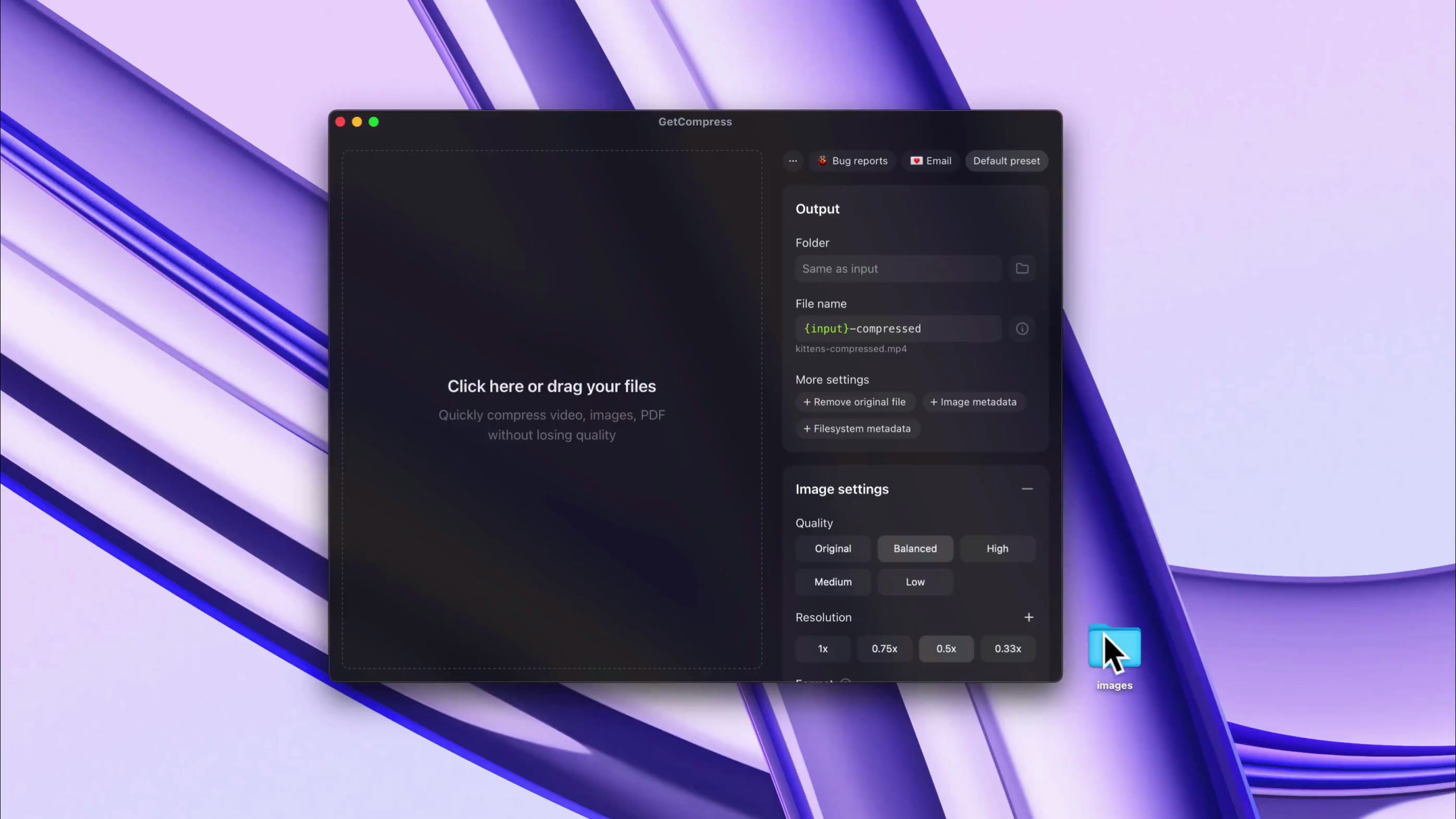
Reusable presets & full control
Save favorite presets and manage every detail, per preset or per file separately: quality, dimensions, target file size, and a lot more

GetCompress is a lightweight macOS app that quickly compresses videos, images, GIFs, and PDFs in batches: get up to 90% smaller files with minimal quality loss, all offline and secure on your Mac
Apple Silicon & Intel Other platforms
Convert and compress dozens of formats the real teams pass around: HEIC, WebP, JPEG, PNG, AVIF, PSD, MP4, MOV, RAW ProRes, WebM, GIF, PDF, and a hundred more


We care about quality of life features: compress from macOS Finder context menu, use customizable keyboard shortcuts, get completion notifications, prevent your device from sleeping, and a lot more





Solid product. I bought it..
This will come in handy!
Purchased, great app! Love that I can mass drop video files directly from Eagle.app into your app to compress and save. This is going to save me GB's of storage space.
So here's an example...had a library of 841 mp4 clips weighing in at 22GB. After compression (Balanced) 4GB. Great work!
I bought GetCompress by @petersamokhin and I'm super happy with it.
I can compress all my videos before uploading them to my website, I just need to dragndrop.
And there are many customizations.
Well done 👏
(not affiliated btw, genuinely like his product)
Definitely worth a look. It's a lot more comprehensive than it first seems.
It’s very apparent that you have put so much effort into this. Great job mate.
I've been looking for a long time for a tool to compress videos and images that is more enjoyable to use than HandBrake or others that often overflow with too many options.
I found @GetCompress which does the job super well, I recommend it, I had a small bug, fixed in a few minutes by the creator. That's the advantage of these tools that are still young!
This actually is one of the tools I needed so I don’t have to search every time I need to compress something 😭
Once I almost missed deadline for hackathon just because my video submission was slightly bigger than allowed in form, lost so much time with ffmpeg, seems like must-have so such stuff wont happen lol, congrats on the launch dude!
Best if you want a lightweight and powerful tool. Serves power users and busy creators too, speeding up daily workflows and saving time with automations
Lifetime License
$19
$39
Taxes may apply on checkout. Secure payment via Polar.
Local currency final price may vary due to exchange rates
Need an educational or volume discount? Contact us
GetCompress is a lightweight desktop app for compressing and converting images, videos, GIFs, and PDFs, offline on your computer.
Compress and convert images, videos, GIFs, and PDFs locally, then speed up repeat work with automatic clipboard compression, folder monitoring, presets, MCP automation and other features.
We designed the app for offline-only processing, so your files are compressed and converted locally on your computer. No internet connection is required for processing files.
It is a safer alternative to online file compressors for client work, private videos, confidential PDFs, product screenshots, and files from your clipboard.
All purchases include 14-day no-questions-asked refunds.
If you are unhappy, please contact us at support@getcompress.com
GetCompress supports image, video, GIF, and PDF workflows across dozens of formats, and can convert as well as compress.
Formats include, but are not limited to: PDF; GIF; SVG, PNG, JPEG, JPG, WebP, HEIC, HEIF, TIFF, BMP, AVIF, JPEG 2000, ICO, PSD, TGA; MP4, WebM, MOV, M4V, AVI, MKV, WMV, FLV, MPEG, MPG, 3GP; and audio exports such as MP3, AAC, WAV, FLAC, OGG, M4A; and many more formats
You can fully control it: select High or Original presets for minimal quality loss, or try other presets, including Target File Size (for video), if you can accept worse quality and need smaller files.
File size is often reduced by 50-90%, and larger files with higher resolution benefit from the most file size reduction.
Yes, minimal requirements are: macOS 11 (Big Sur) for Apple Silicon Macs, macOS 10.15 (Catalina) for Intel Macs, Windows 10 for Windows devices, and Linux support depends on the distribution.