Convert HEIC to JPG on Mac: 3 Methods
Convert HEIC to JPG on Mac with GetCompress, Photos, or sips in Terminal. Batch HEIC to JPEG for MLS, email, and uploads without uploading iPhone photos.
iPhone photos arrive as HEIC. Windows colleagues, MLS portals, Shopify uploads, and many email clients still expect JPEG. You notice when attachments show as generic icons, when a listing upload rejects the batch, or when a client asks why the files will not open. Converting locally keeps property and portrait shoots private.
HEIC vs JPEG
HEIC saves space on the phone. JPEG remains the common format for sharing across different computers.
| HEIC | JPEG | |
|---|---|---|
| iPhone default | Often yes | Optional in Camera settings |
| Windows without codec | Often fails | Opens |
| MLS / legacy CMS | Often rejected | Accepted |
| Typical size at same quality | Smaller | Larger |
Live Photos export as a still HEIC plus a short video pair. For MLS you usually want the still frame only. For PNG retouch selects, see HEIC to PNG on Mac . For large folders, see batch convert HEIC on Mac .
Method 1: GetCompress
Best for: AirDrop folders, max width plus quality in one pass, and presets you reuse for MLS or email proofs.
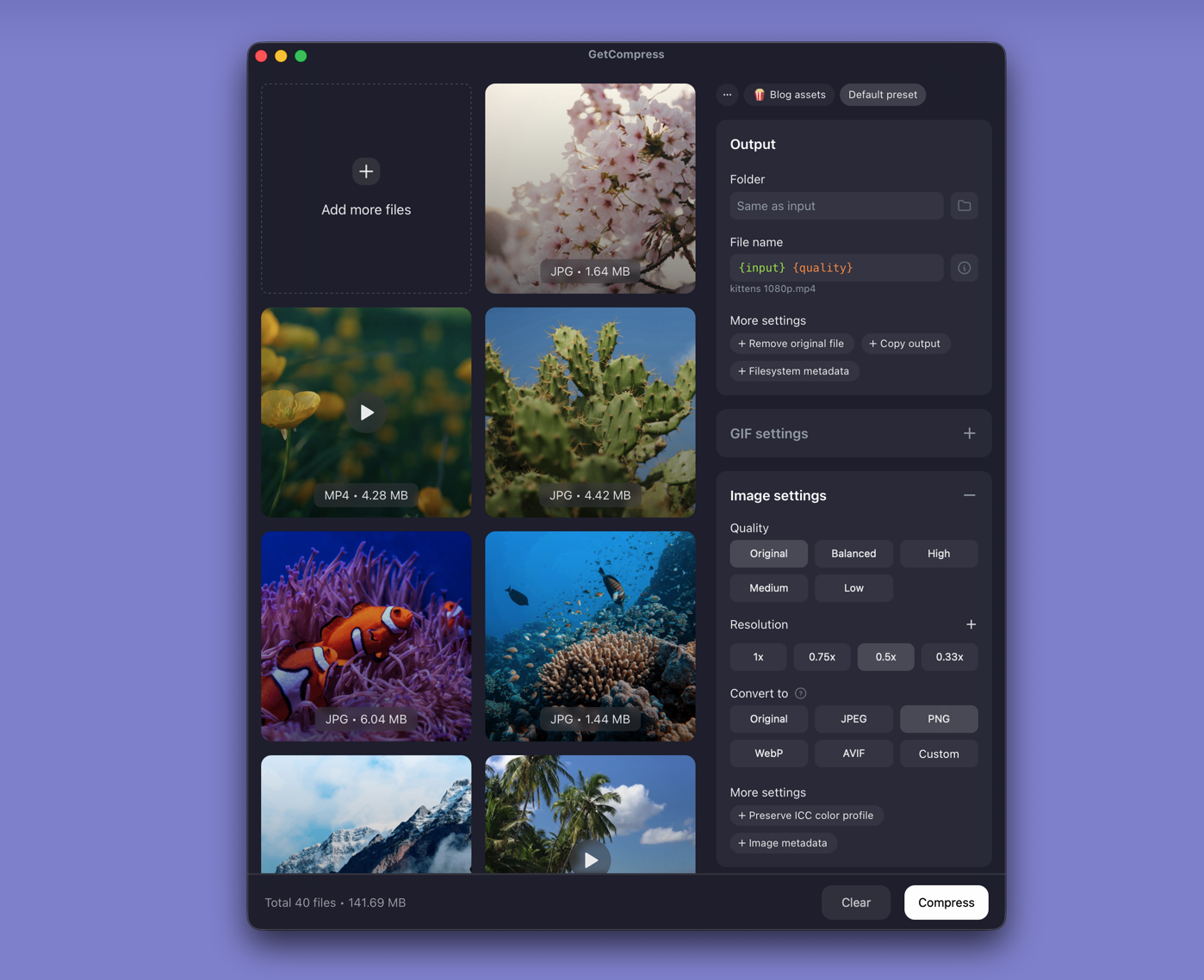
- Drop HEIC files or a whole folder into GetCompress .
- Choose JPEG output.
- Set max width (for example 3000 px for MLS or 2048 px for email) and quality (for example High or Medium).
- Export; keep originals untouched.
Processing stays on your Mac. Save presets such as “listing JPEG 3000 high” and “email preview 2048 medium”.
Method 2: Export from Photos or Preview
Best for: A few files already in Photos, or a small AirDrop batch.
Photos:
- Select photos in Photos.
- File → Export → Export N Photos.
- Format JPEG, quality High.
Preview:
- Open HEIC in Preview.
- File → Export…, Format JPEG, adjust quality.
| Delivery | Quality | Width hint |
|---|---|---|
| Email preview | High | 2048 px if you resize after |
| MLS | High | Match portal max (often ~3000 px) |
| Web gallery | Medium-High | 1920 to 2400 px |
Limitation: Preview is one file at a time. Photos is slow when files sit in a Finder folder you never imported.
Method 3: Convert in Terminal with sips
Best for: Scripts and folder loops without a GUI.
sips -s format jpeg -s formatOptions 90 photo.heic --out photo.jpgFolder loop:
mkdir jpeg-out
for f in *.heic *.HEIC; do
 [ -f "$f" ] || continue
 sips -s format jpeg -s formatOptions 90 "$f" --out "jpeg-out/${f%.*}.jpg"
done
Resize while converting:
sips -Z 3000 -s format jpeg -s formatOptions 85 "$f" --out "jpeg-out/${f%.*}.jpg"FFmpeg alternative when sips chokes on an odd file:
ffmpeg -i photo.heic -q:v 3 photo.jpgLimitation: You maintain the loops yourself. Mixed case extensions need both *.heic and *.HEIC.
Which method should you use
| Situation | Start here |
|---|---|
| Folder batch, width + quality presets | GetCompress |
| Few files in Photos or Preview | Photos or Preview |
| Scripts / CI | sips or FFmpeg |
When Photos export is enough
Photos or Preview is enough for a handful of HEIC files when one export already matches the portal.
GetCompress also helps when AirDrop dumps arrive every shoot day, when you need max width and quality together, or when you want local batch conversion without Terminal. After conversion, if JPEG files still exceed upload caps, compress with quality tweaks rather than re-exporting from HEIC. See how to compress images on Mac .
- Batch Convert HEIC on MacBatch convert HEIC to JPG on Mac with GetCompress, Photos, or Terminal sips. Real estate and event photo workflows.
- Convert HEIC to PNG on MacConvert HEIC to PNG on Mac with GetCompress, Preview, or sips for retouch workflows. Send clients JPEG unless they asked for PNG.
- How to Compress Images on MacCompress images on Mac with GetCompress, Preview, or sips. Resize JPG and PNG, convert HEIC, and keep sharp UI for email or web.
- For photographersCreate JPEG, PNG, HEIC, TIFF, and WebP delivery files for galleries, proofs, downloads, and social posts while protecting color and useful detail.