Convert PDF to PNG on Windows: 3 Methods
Export PDF pages as PNG on Windows with Edge, pdftoppm, or a GetCompress resize pass. Keep text and charts crisp for design review.
Stakeholders annotate slides as PNG layers, not as a locked PDF. Exporting pages locally keeps roadmap decks off public converter sites. PNG preserves thin chart lines better than JPEG. Plan to resize to about 1920 px before Teams upload; full pdftoppm output is often wider.
When PNG beats JPEG from PDF
| Use case | Output |
|---|---|
| Design review | PNG per slide |
| Chart with gradients | PNG avoids JPEG banding |
| Photo slide | PDF to JPG on Windows may suffice |
| Resize first |
Overview: PDF to images on Windows . Merge back: PNG to PDF on Windows .
Method 1: Export one page in Edge
Best for: One chart or slide.
- Open the PDF in Microsoft Edge.
- Go to the page you need.
- Use Save as image if available, or screenshot carefully.
- Crop in Paint if needed.
Limitation: Manual only. Easy to capture UI chrome.
Method 2: Batch with pdftoppm
Best for: Whole decks.
winget install poppler
pdftoppm -png deck.pdf deck-page
Subset:
pdftoppm -png -f 2 -l 10 deck.pdf deck-pageRemove PDF passwords before batch export. Convert selected pages to JPEG later with PNG to JPG on Windows when needed.
Limitation: No GUI. Raw PNG folders often exceed SharePoint limits.
Method 3: Resize PNG pages in GetCompress
Best for: Same max width across a full deck folder.
GetCompress does not split PDF pages. Export first, then:
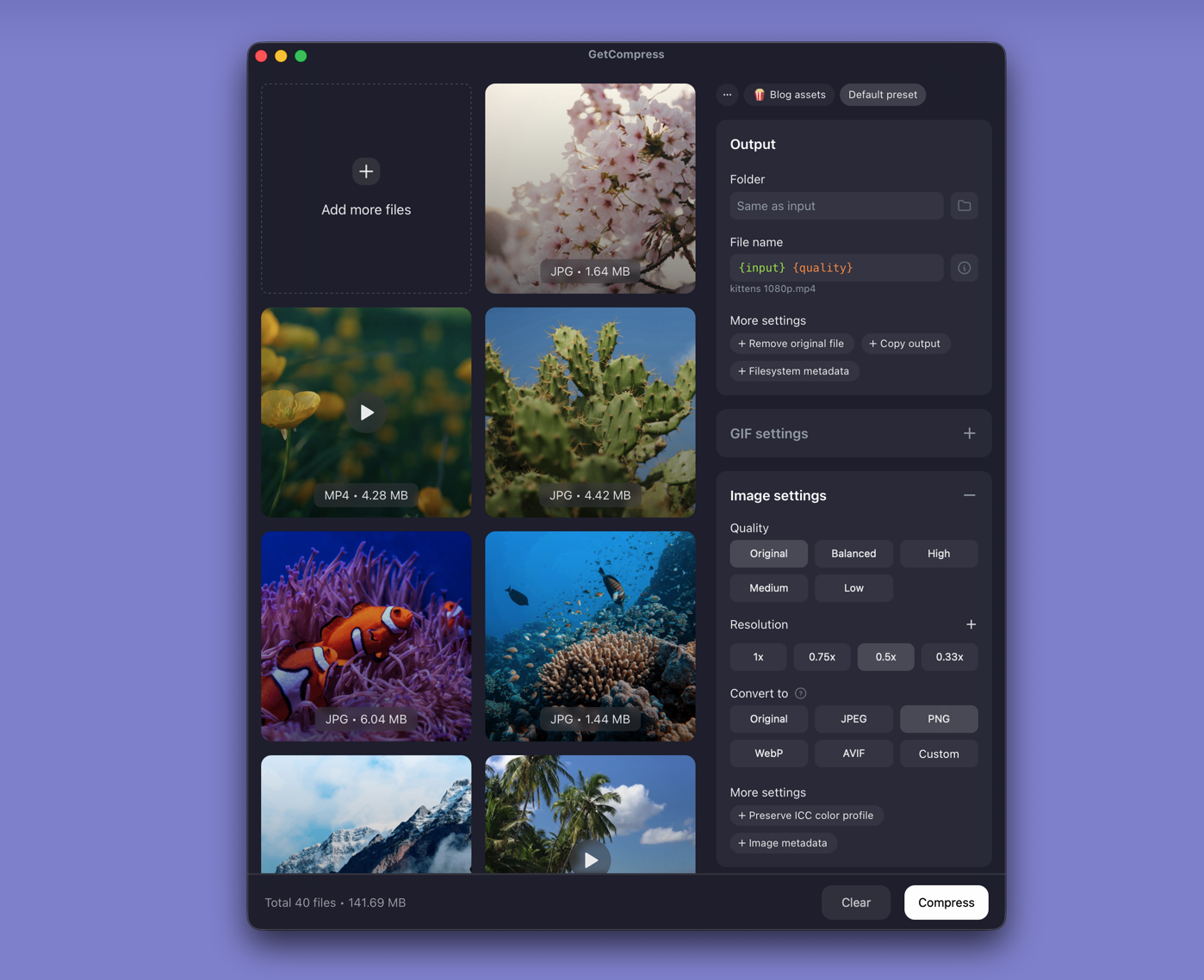
- Drop the PNG folder into GetCompress .
- Set max width; keep PNG or convert some pages to JPEG / WebP when size is tight.
- Preview thin lines, then export.
- Save a preset for recurring exports.
Image jobs use quality and dimensions, not an exact target file size.
Which method should you use
| Situation | Start here |
|---|---|
| One page | Edge |
| Whole deck | pdftoppm |
| Folder still too large | GetCompress |
FFmpeg resize:
winget install --id Gyan.FFmpeg -e
mkdir web
Get-ChildItem deck-page-*.png | ForEach-Object {
 ffmpeg -i $_.Name -vf scale=1920:-2 "web\$($_.BaseName)-1920.png"
}
Photo slides only: PDF to JPG on Windows .
Check before you upload
Spot-check one chart page and one photo page. Keep full\ and web\ folders separate. Soft text usually means the width cap was too aggressive.
When a manual Edge save is enough
A manual Edge save can finish a single sharp PNG send.
GetCompress fits after batch export when many pages need consistent delivery sizing. It does not replace a design tool or PDF editor. Prefer local export for confidential decks.
- Export PDF to Images on WindowsTurn PDF pages into PNG or JPEG on Windows with Edge, pdftoppm, or a resize pass in GetCompress. Batch slide decks without online splitters.
- Convert PDF to JPG on WindowsExport PDF pages as JPEG on Windows with Edge, pdftoppm, or a GetCompress resize pass. Batch slide decks for CMS and SharePoint.
- Convert PNG to JPG on WindowsConvert PNG to JPG on Windows with GetCompress, Paint, or FFmpeg. Keep PNG when you need transparency; flatten first when you do not.
- Convert PNG to PDF on WindowsMake a PDF from PNG images on Windows with Print to PDF, then compress if SharePoint rejects the file. Resize sources first for screen-only sharing.