Offline Media Compression on Windows
Compress images, video, and PDF on Windows without uploading. Local JPEG, MP4, and PDF processing for NDA work, air-gapped PCs, and slow Wi-Fi.
Security review asks where the file goes. You have a 200 MB MOV on hotel Wi-Fi that must land under an email cap by morning. Uploading to a random compressor copies unreleased footage to someone else’s server, waits on upload and download, and depends on a retention policy you did not write. Offline media compression on Windows keeps JPEG, MP4, MOV, and PDF on your disk while they shrink.
Why offline compression matters
| Scenario | Risk of online tools |
|---|---|
| NDA client exports | Third-party storage of masters |
| Embargoed campaign assets | Leak before launch |
| HR or legal PDFs | Sensitive text and metadata leave the PC |
| Metered or hotel Wi-Fi | Upload time rivals encode time |
| Air-gapped workstation | No reliable internet at all |
Online compressors can work for public blog images with no confidentiality angle. They are a poor default for unreleased product UI, signed contracts, or bug repros that show internal URLs.
For what upload actually means, see are online file compressors safe on Windows and online compressor privacy risks on Windows . When the blocker is megabytes, not privacy, start with email attachment size limits .
What you can shrink locally
| Media | Common inputs | Typical local output |
|---|---|---|
| Images | HEIC, PNG, JPEG, TIFF, WebP | JPEG, PNG, WebP |
| Video | MOV, MP4, MKV, Game Bar captures | MP4 (H.264 or HEVC) |
| Documents | Scan or export PDF | Compressed PDF |
| GIF | GIF, short MP4 loops | Optimized GIF or MP4 |
Convert and compress in one pass when the recipient needs a different format (for example HEIC to JPEG for Outlook). Batch runs stay offline too: forty files in a local queue do not change the privacy model versus one file.
Exact target file size applies to video only. For images and PDF, use quality, resolution, or compression presets, not a typed megabyte cap.
Built-in Windows tools
| Tool | Offline? | Good for | Limits |
|---|---|---|---|
| Photos | Yes | Single image or short video | No mixed batch queue |
| Clipchamp | Often needs Microsoft account | Simple trim and export | Weak fit for strict offline policy |
| Microsoft Print to PDF | Yes | Lightweight PDF from images | No scan image optimization |
| PowerShell + FFmpeg | Yes | Scriptable video and image jobs | You maintain the flags |
Built-in tools cover one-off tasks. They thin out when you need mixed PNG + MP4 + PDF in one queue, a reusable video size preset for a 20 MB ticket cap, or a watch folder on an ingest directory.
Air-gapped and slow-connection workflows
| Workflow | Offline tip |
|---|---|
| Office PC with restricted browser | Install a local app while online once; compress after |
| Travel day before client send | Queue exports in the hotel room without uploading masters |
| Secure facility | Prefer local tools over browser upload forms |
| Tethered phone data | Skip double transfer (up to cloud, down again) |
Prepare named presets before you disconnect: email PDF, Teams MP4 720p, web JPEG 1920 px. Folder monitoring still runs when Edge never opens, as long as the app is installed and licensed. Patterns for watch folders: batch compress and convert on Windows .
Metadata still needs a policy
Local processing does not automatically strip sensitive metadata.
| Metadata type | Note |
|---|---|
| EXIF GPS | May remain on JPEG exports from phones |
| Camera serial | Often preserved unless you strip it |
| PDF author field | Still visible in document properties |
| Video creation date | Usually preserved |
Offline compression solves the upload problem. Metadata policy is still yours. Keep masters on an archive drive and compress copies for delivery. For photo EXIF cleanup, see remove EXIF from photos on Windows .
When GetCompress fits
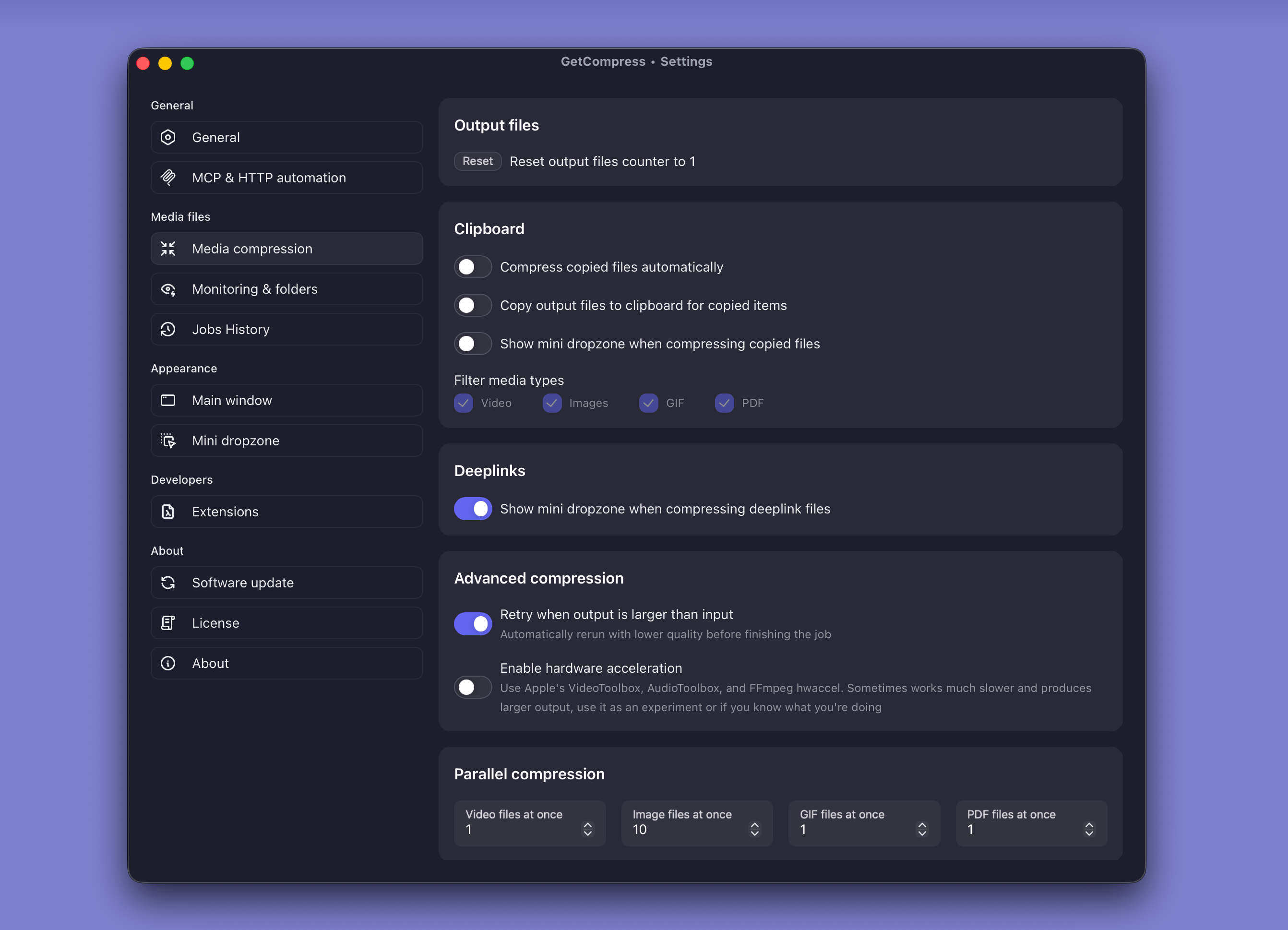
GetCompress processes JPEG, PNG, HEIC, MOV, MP4, and PDF on your PC with no upload step for compression. Useful when the work repeats:
- Mixed folders in one queue instead of hopping between Photos and Clipchamp
- Saved presets for email, Teams, web, and archive deliveries
- Target file size on video when portals list a megabyte cap
- Folder monitoring on ingest directories that fill while you work disconnected
- Preview and trim before export so you do not re-encode twice on slow disks
What stays on disk during compression, and what may use the network for updates or license checks, is covered in how GetCompress stays private and secure on Windows .
When Photos or Print to PDF is enough
Photos or Print to PDF can finish a single public image or a one-page send with no confidentiality need and no batch.
GetCompress also helps when NDA assets, mixed media, reusable presets, or watch folders make browser upload tools a recurring risk. It does not replace a full video editor, a records system, or a redaction workflow. For broader size cleanup across formats, see reduce file size on Windows .
- GetCompress Privacy on WindowsHow GetCompress processes files on Windows, when it uses the network, and how that compares to built-in tools and online compressors.
- Are Online File Compressors Safe on WindowsWhat happens when you upload files to online compressors, and what to use on Windows instead with Photos, Clipchamp, and GetCompress.
- Online File Compressors Privacy Risks on WindowsWhy free compressor websites show ads and log uploads, and what to use on Windows instead of browser upload tools.
- Reduce File Size on WindowsReduce file size on Windows for video, photos, PDF, and GIF with GetCompress, Photos or Clipchamp, and FFmpeg. Free space without deleting project masters.